The short answer
Share product details across your business, but keep quantities, transactions and staff access tied to each location. Use a recorded transfer for stock moving between stores, then compare both locations using the same reporting period.
One catalogue does not mean one pile of stock
When you add another store, it is tempting to copy the first spreadsheet and keep updating both. Soon a product has two names, prices differ unintentionally, and no one knows which quantity is current.
Inventix uses a shared catalogue with store-specific stock and transaction history. Keep a stable code for each product and variant. Add the second location as a store, not as an unrelated duplicate product list.
Add another store and review product setup.
Check where the item actually is
A total of 30 across the business does not mean each store has 30 to sell. Apply a store filter or select the relevant location before checking availability, receiving goods or making a sale.
Choose clear store names and teach staff to check the location before saving. Store-specific prices and applicable customer/group prices should be reviewed before checkout; do not assume every displayed total is identical in every context.
Transfer stock instead of correcting two quantities
Suppose Downtown holds 20 mugs and Riverside holds 7. You physically move 3 mugs to Riverside. Without other movements, the resulting quantities should be 17 and 10.
| Location | Before | Change | After |
|---|---|---|---|
| Downtown | 20 | -3 | 17 |
| Riverside | 7 | +3 | 10 |
| Business total | 27 | 0 | 27 |
This is an illustrative reconciliation example, not a claim that the screenshot contains those exact products or figures.
Create one transfer with source, destination, item quantities and a recognisable reference. Check both locations and the physical handover afterwards. Do not record a new supplier purchase simply because another store sent you goods.
A transfer should not leave your business with more stock than it started with. If you are unsure whether it saved, find the original reference before creating another. Transfer stock between stores.
Keep supplier deliveries separate
Supplier goods add stock to the store receiving them. Transfers move stock already owned by the business. Both affect availability, but they answer different purchasing questions.
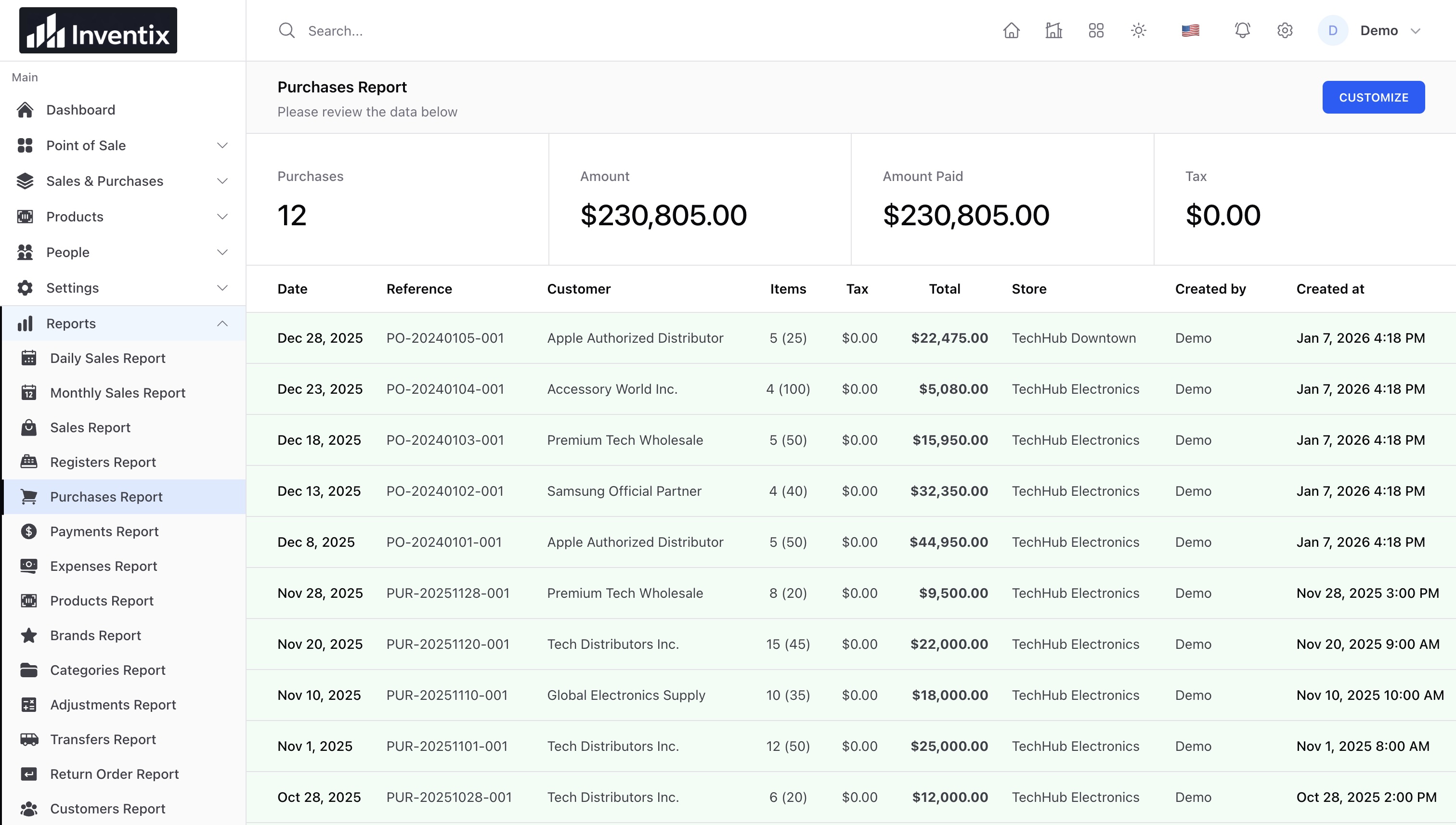
The current purchase form records received purchases. It is not an unreceived purchase-order approval process. Check the physical delivery first, record what arrived, and track supplier payments separately. Receive a purchase.
Give each team the right access
Create individual staff accounts and assign both role permissions and allowed stores. A cashier at Riverside should not need your owner login to complete a sale. A manager who oversees both stores may need a wider assignment, but still not every settings permission.
Test permitted and restricted actions in separate sessions. Role configuration is not payroll or staff scheduling; it controls supported product actions. Manage staff permissions.
Compare stores fairly
Use matching dates and understand what each report measures. Compare sales, payments, returns and expenses separately. One store can have higher sales but more money outstanding; another can receive payment today for an older sale.
Open the underlying document when a total surprises you. Product quantities shown across all locations are useful for planning, but reordering should still consider where the stock is needed.
Monthly and annual Inventix subscriptions include the same current product capabilities, with no subscription limits on stores, products or staff. Practical import/export limits and access controls still apply.
Start with one repeatable location workflow, then add the next. Review the multi-store overview, reports, and pricing before inviting the wider team.