Sell
Keep the queue moving.
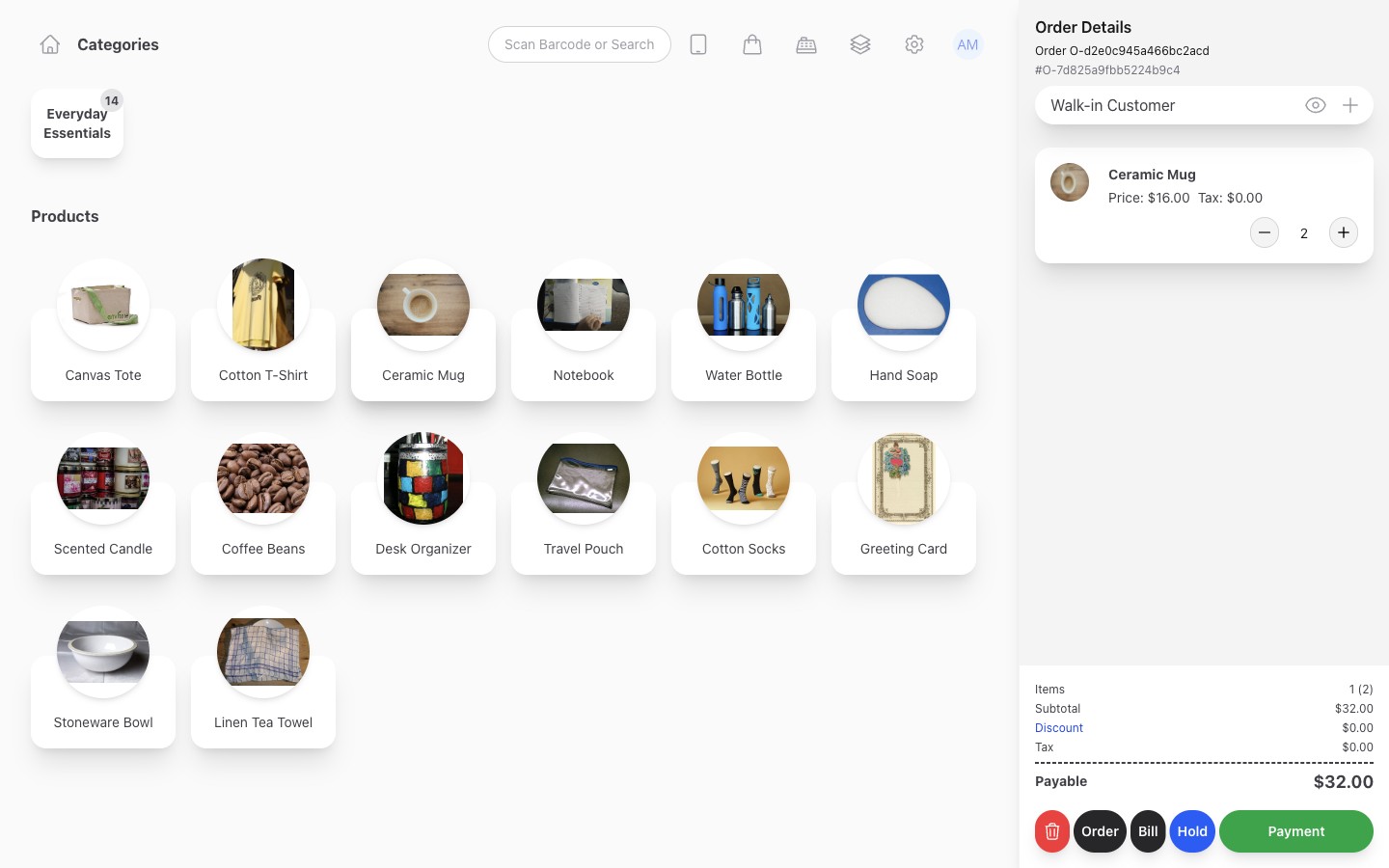
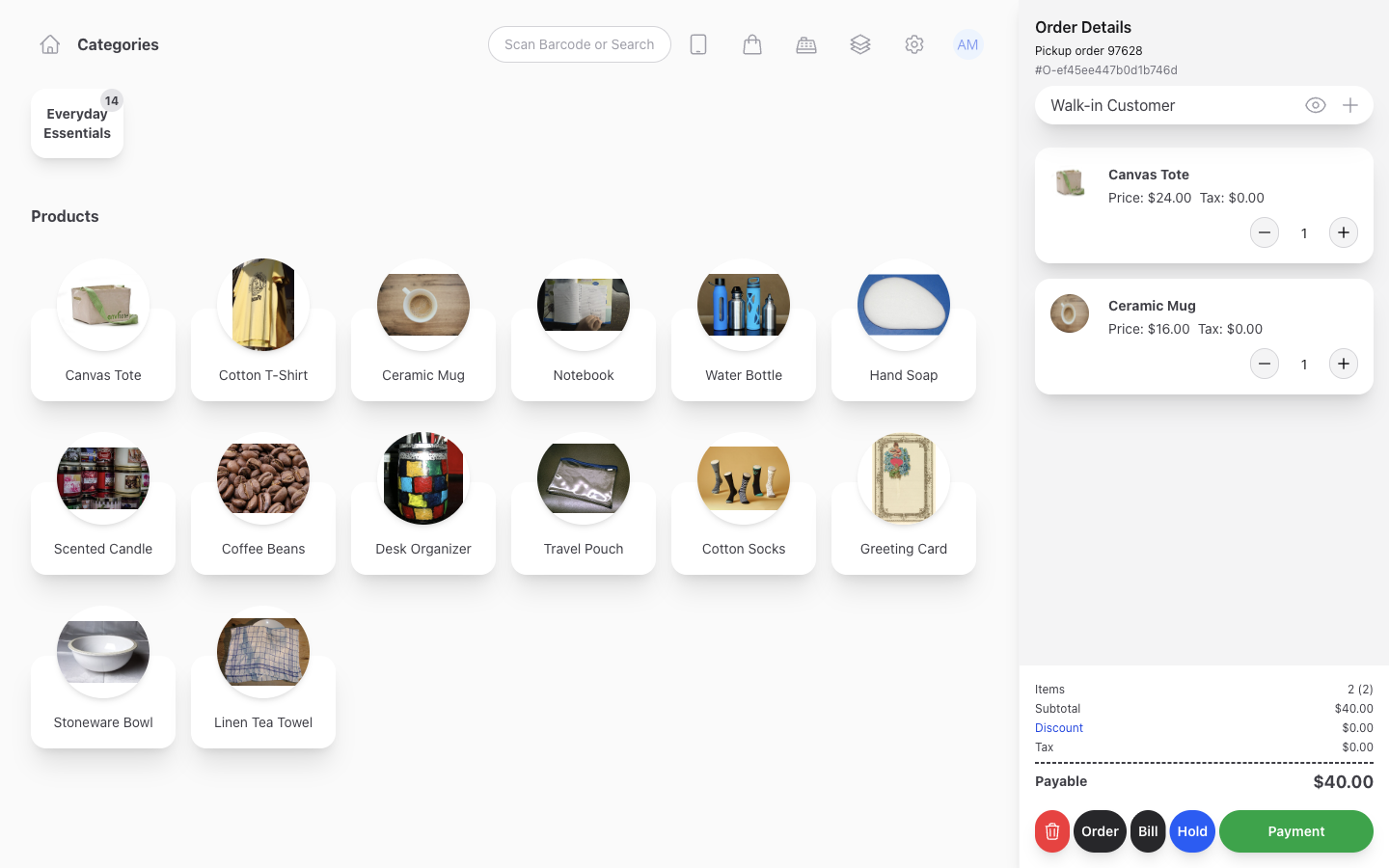
Find an item, build the basket, and record the payment. If a customer needs a moment, hold their order and help the next person.
- Search and barcode scanning
- Held orders
- Taxes and discounts
- Customer receipts
Inventix for independent retailers, from one shop to multiple stores.
Manage sales, stock, and stores from your phone, tablet, or computer.
14 days free. No card required.Paid plans: $15/month or $150/year.
Start with the device you already have.
How it works
Finish checkout once. Inventix updates stock and sales records, so you can serve the next customer without updating a spreadsheet.
Choose the items and customer, apply any discount, and record the payment. Keep the order together from start to finish.
When you sell an item you keep in stock, Inventix updates its quantity. There is no separate stock entry to make.
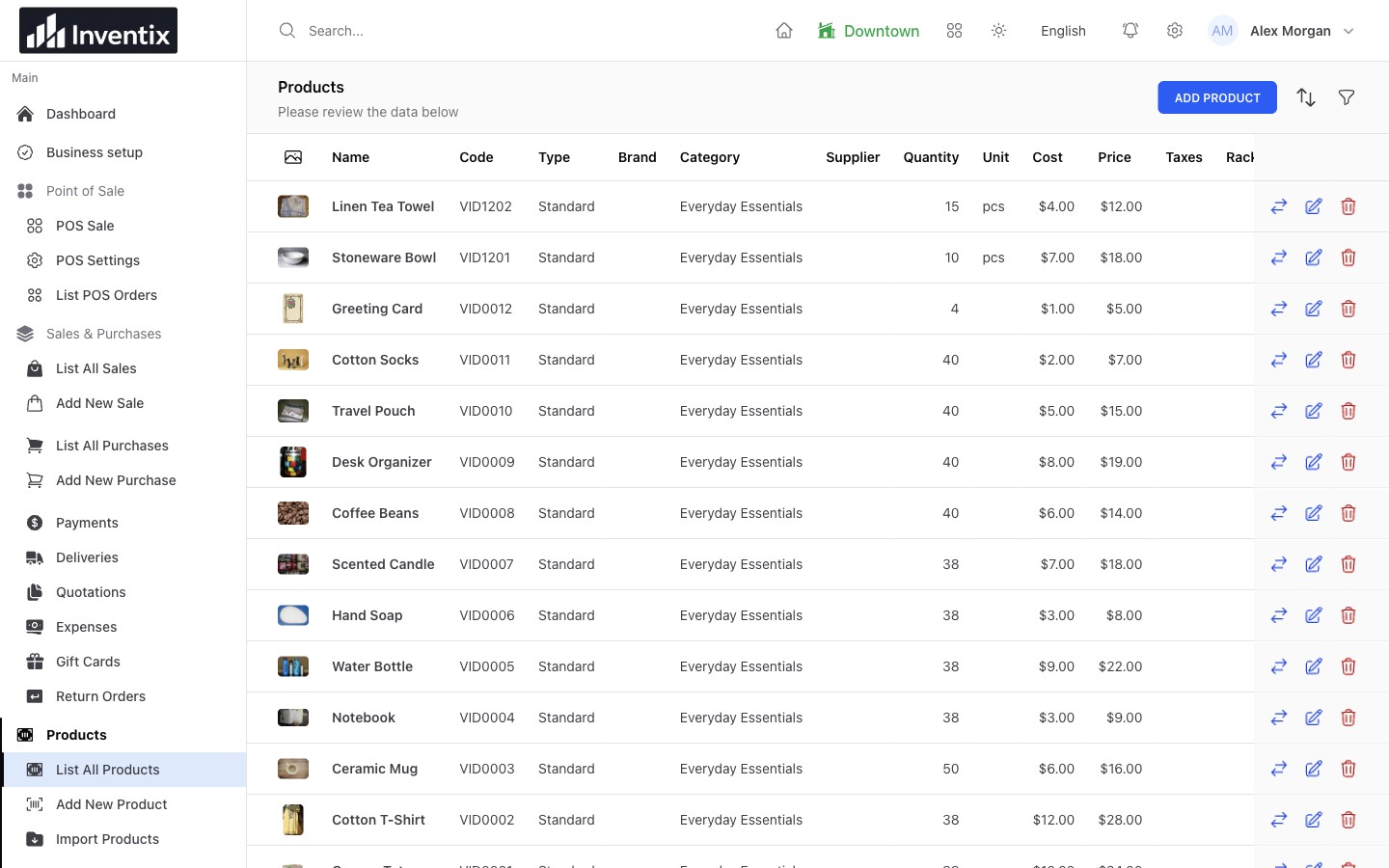
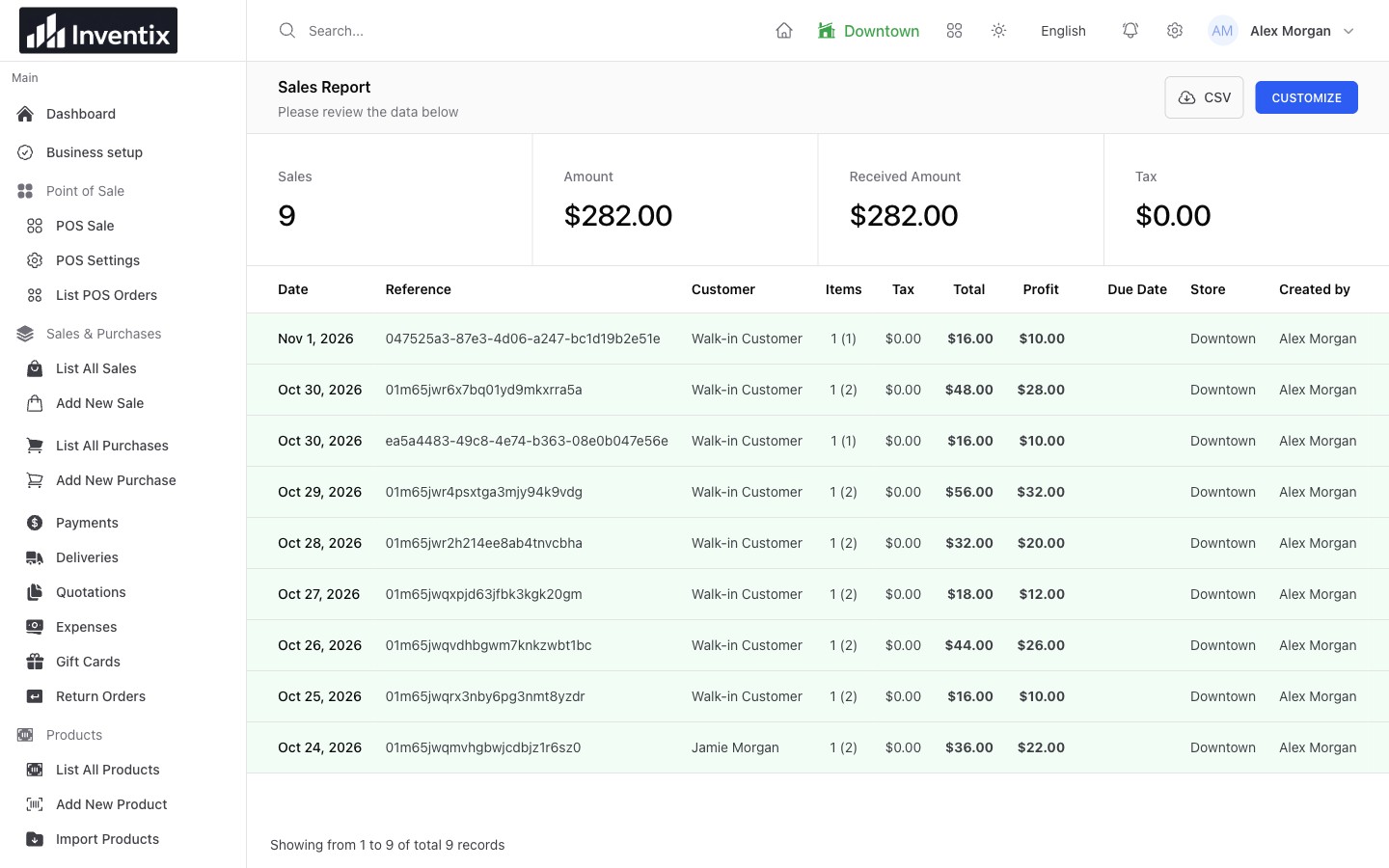
See sales totals and the transactions behind them. Check the customer, items, and store when you need a closer look.
Taking card payments? Use your usual payment provider or terminal, then record the payment in Inventix.
What you get
Serve customers, look after stock, and follow the money. Keep the work connected from your phone, tablet, or computer.
Sell
Find an item, build the basket, and record the payment. If a customer needs a moment, hold their order and help the next person.
Manage inventory
Keep product details and stock records together. Set a low-stock level for each item, then review what needs attention before you reorder.
Manage stores
See stock by location, move products between stores, and give each employee access to the work they handle.
Manage purchasing
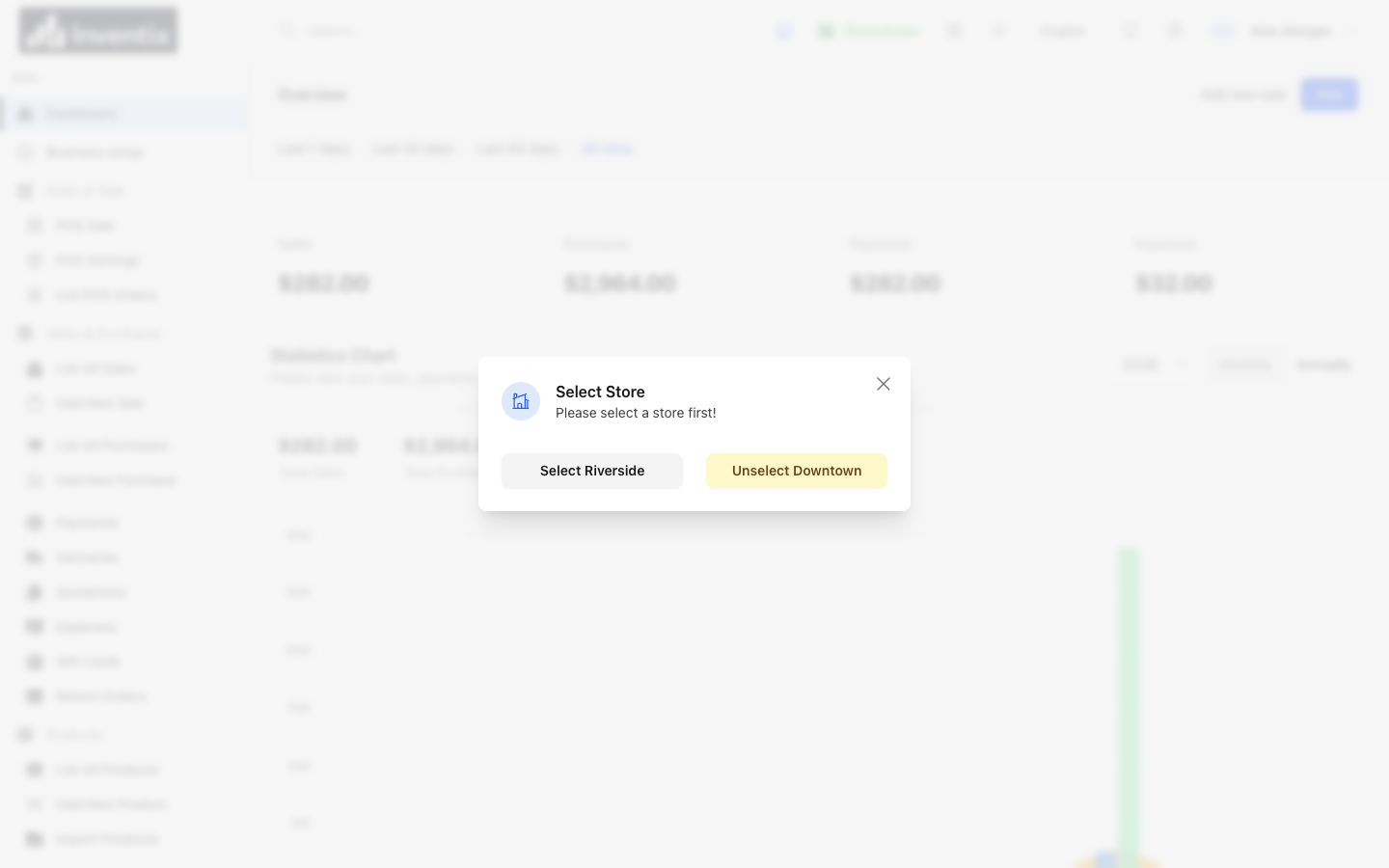
Record purchases, follow supplier balances, and check what you bought before placing the next order.
Look after customers
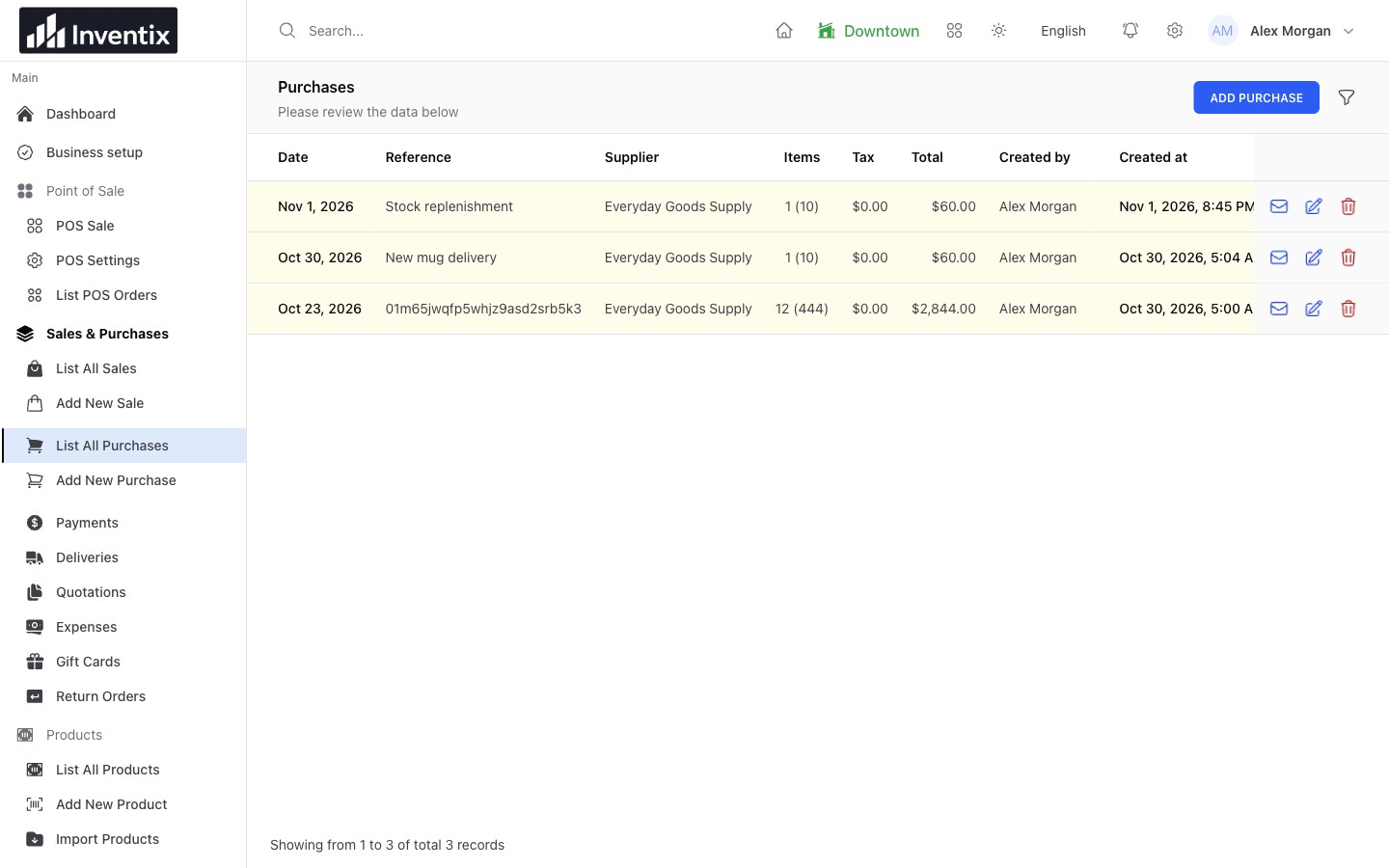
Keep sales and balances with the customer. Find past purchases when they return, ask about an item, or make another payment.
Understand your business
Review sales, purchases, payments, stock, and staff activity. Find the transactions behind the totals when you need more detail.
All these tools, with no subscription limits on locations. Choose monthly or yearly billing; keep the same features.
A day inside Inventix
A customer needs a moment. A supplier needs an order reference. You need to know what has been paid. Keep the details at hand as the day unfolds.
Before opening
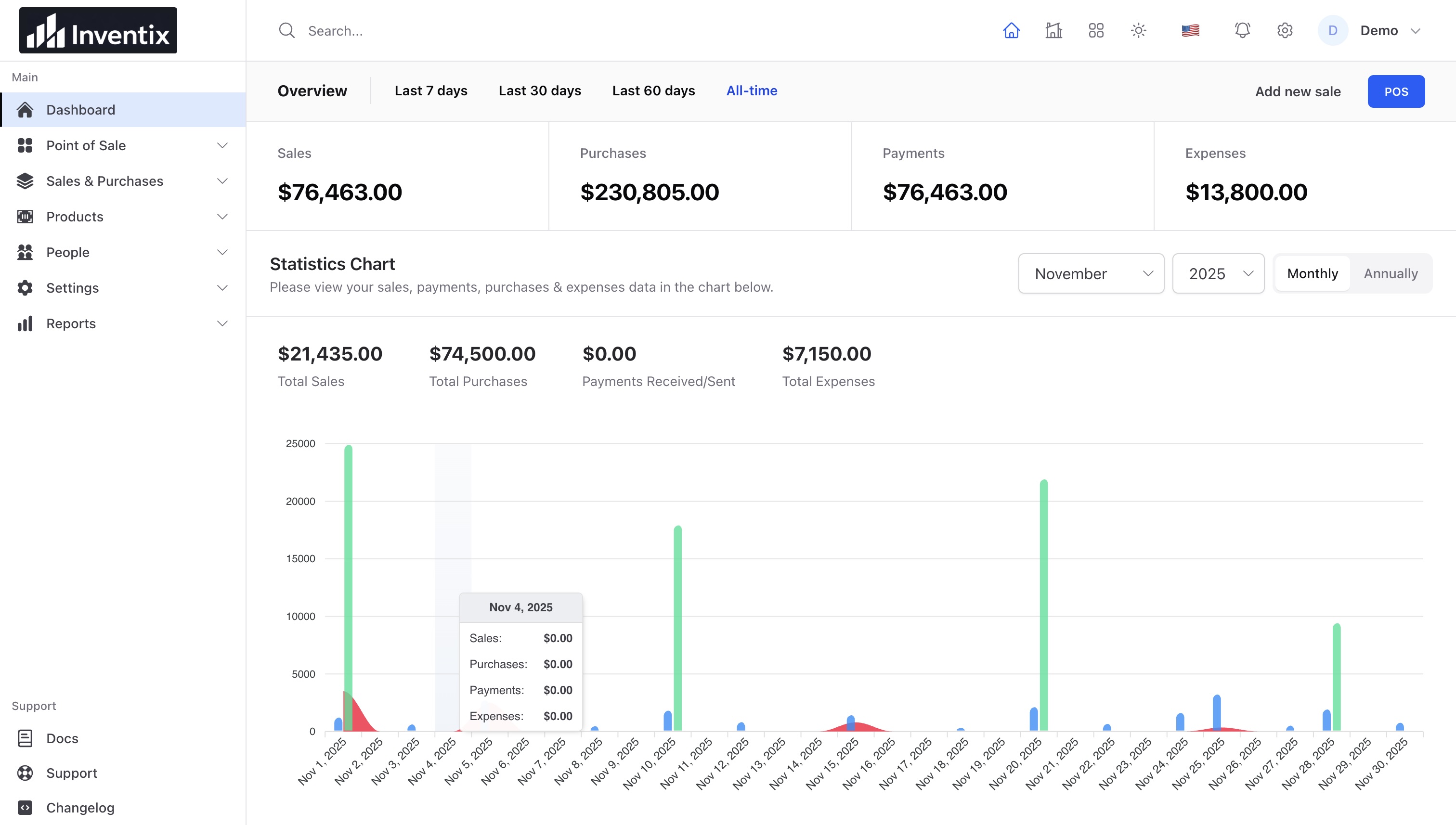
Before the first customer arrives, open your business overview. Review sales, purchases, and expenses together, then decide what needs your attention.
At the counter
Your customer steps away to find one more item. Hold their order, help the next person, then reopen the saved basket when they return.
When buying stock
Before you call the supplier, find the last purchase by its date or reference. Review the order details so you do not have to piece them together from old messages.
Before heading home
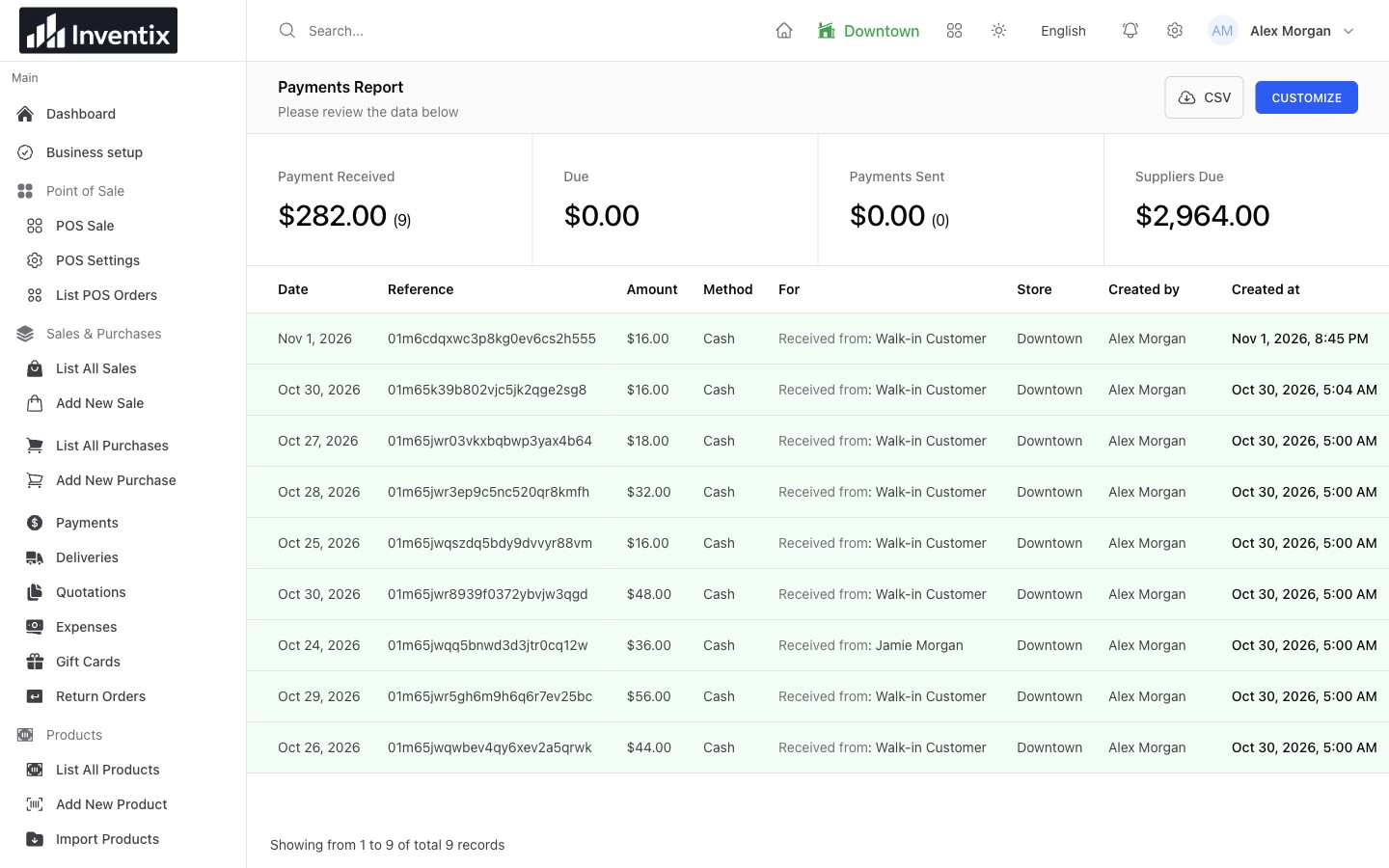
Review the payments you have recorded by date, amount, and method. Check outstanding balances too, so an unpaid sale does not get mistaken for money received.
Every location, together
One shop is running low. Another has stock to spare. Check each location, move items where they are needed, and let your team work from their own accounts.
Look up stock at each store or warehouse before promising an item or buying more of it.
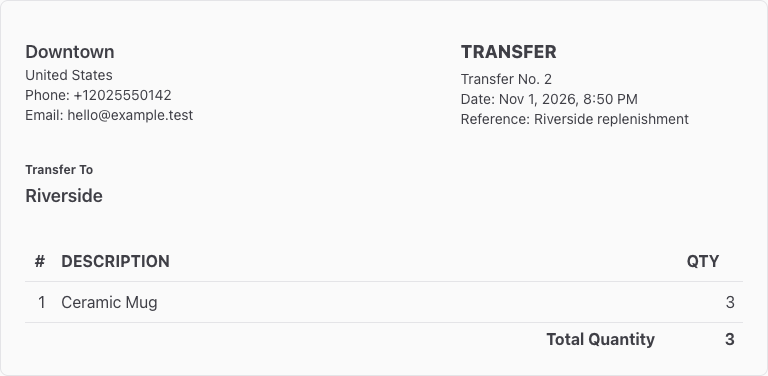
Send items from one location to another. Keep the products, quantities, and locations together in the transfer record.
Give staff their own accounts and choose their permissions. Let them handle their work without sharing your owner login.
Send three Ceramic Mugs from Downtown to Riverside. Keep one saved reference for the handover, then check the item's quantity in each store.
Add a location without moving to a higher plan. Multi-store management is included with monthly and yearly billing.
Know where you stand
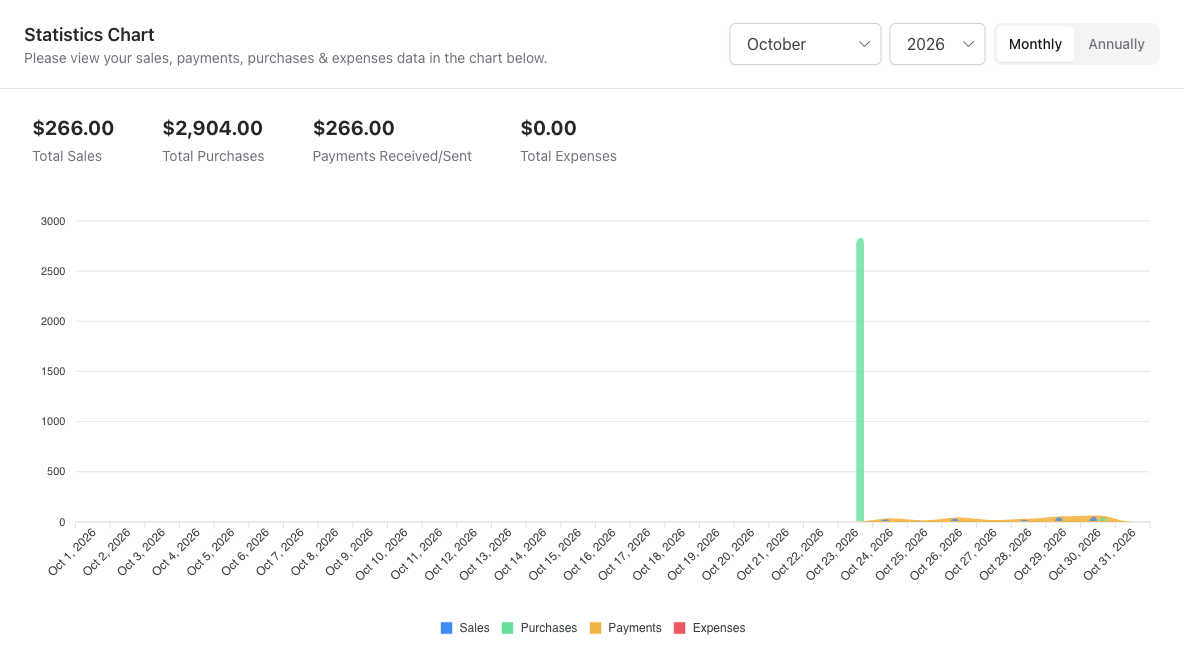
Check the bigger picture, then look closer. See what you sold and what you spent, with the records there when you need to understand a total.
Business overview
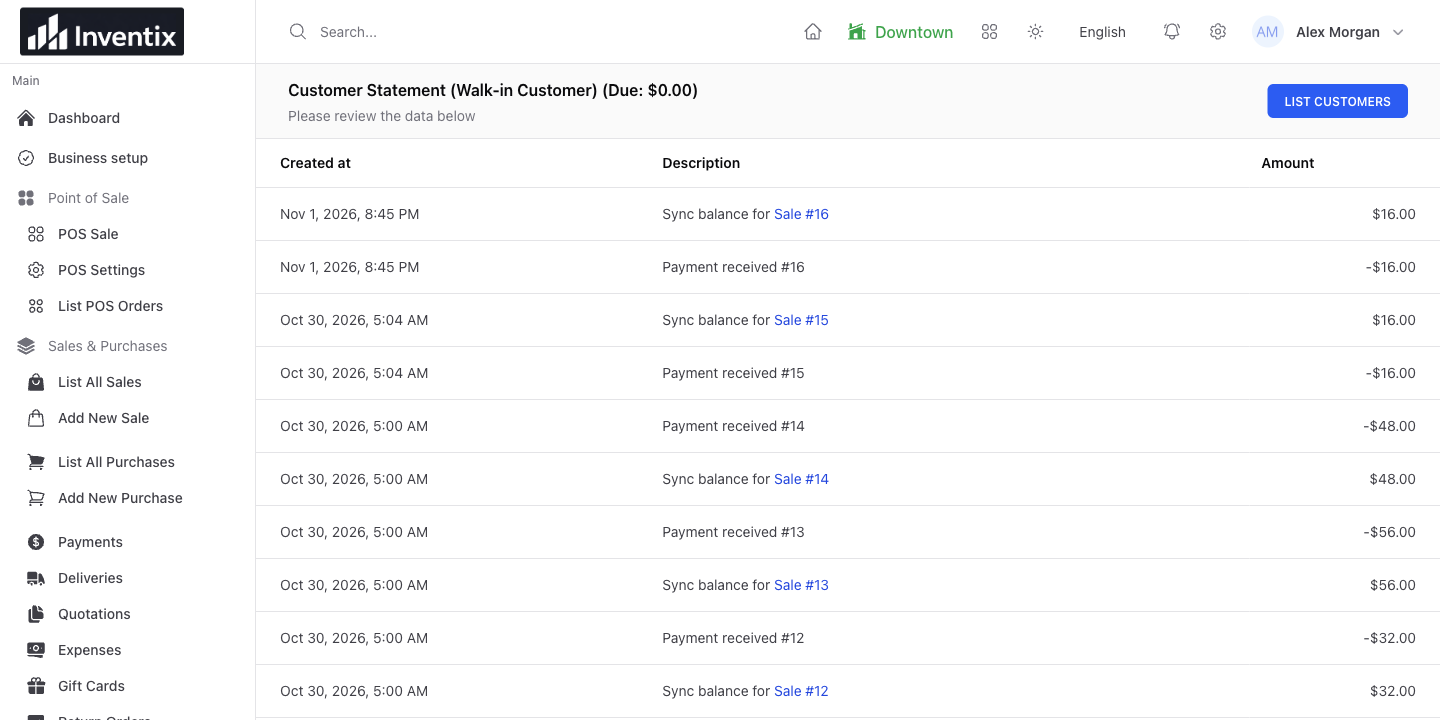
Check sales, purchases, payments, and expenses together. Choose a period to see how trading has changed before looking into individual records.
Sales
Find the sale you need without piecing together receipts. Review the customer, items, order total, and store in the same report.
Expenses
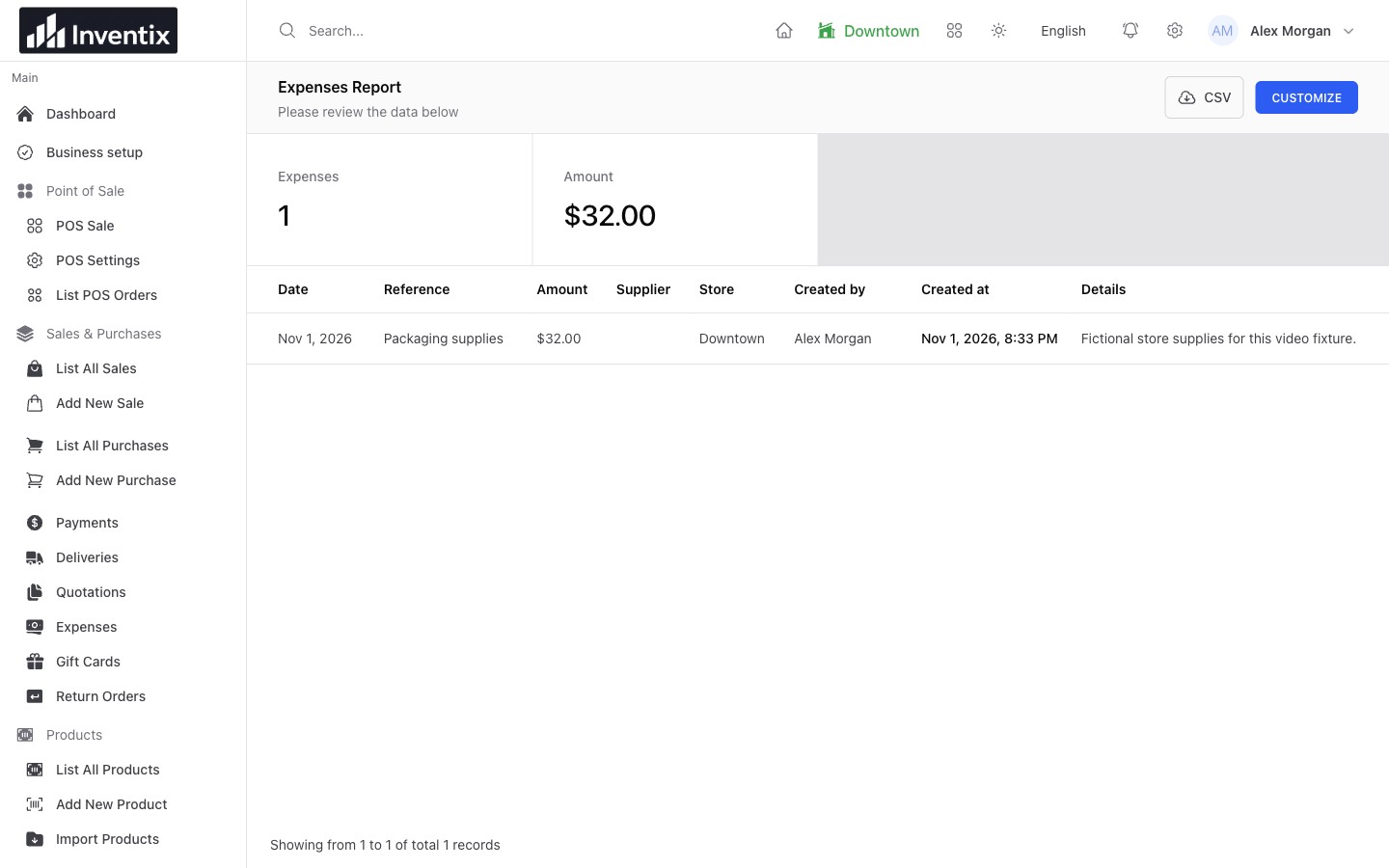
Rent, supplies, maintenance: small and large costs belong in the same picture. Review what you recorded, which store it belongs to, and what it was for.
Your business goes with you
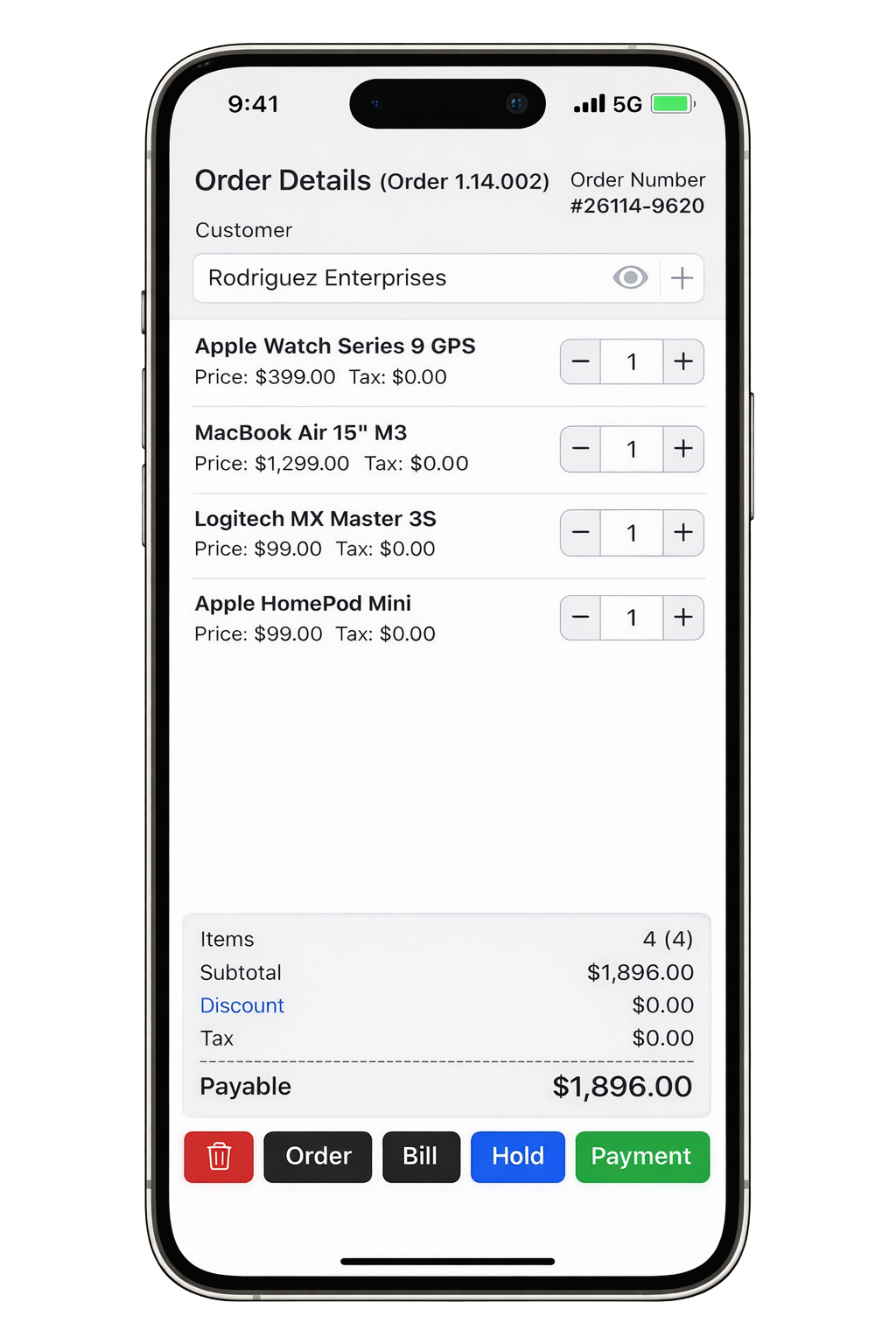
No expensive POS terminal required. Sign in from your phone, tablet, or computer. Use the same account and choose the screen that suits the job.
Build an order, adjust quantities, and record a sale without going back to a desk.
Give checkout more room at the counter, or use a larger screen to manage products and review reports.
Inventix works in your browser with an internet connection. No app download needed. Choose English, Spanish, or French in your workspace.
Mobile apps and more workspace languages. You can start in your phone browser today.
Using a printer, scanner, or card terminal? Check your setup before your first sale. Card payments still go through your payment provider.
Check your checkout setupGet started
Begin with a few products and get your stock ready for your first sale. The setup checklist keeps track of your progress, so you can leave and come back.
Sign up with email or phone. Confirm your store details, currency, and tax settings before adding products.
Add a few products or import your list. Check prices and opening stock, then choose staff access or start on your own.
Open a register and make a sale. Check the receipt, remaining stock, and sales report to see how it all fits together.
14 days free. No card required.
Trial sales are real records. Keep practice transactions separate from your live business.
Your business stays yours
Choose what your team can do, protect your account, and get help when you need it.
Give each person their own account. Choose the stores they can access and the work they can do, then adjust permissions as responsibilities change.
Security and your dataChange your password, replace recovery codes, and sign out other sessions from your account settings. Keep recovery codes somewhere private in case you lose access.
Protect your accountYour trial ends without an automatic charge. If you subscribe, you can manage billing and cancel renewal from your account's billing portal.
Billing and cancellationFree setup is included during your trial. Follow the step-by-step guides, or contact us about your products, imports, and day-to-day work.
Contact supportSimple pricing
Get all current features with either option. No subscription limits on stores, users, or products. Just choose how often you pay.
$15/month
Billed $15 each month. The same features, with a monthly commitment.
14 days free. No card required. Free setup included.
2 months free
$150/year
$12.50/month, billed as $150 each year. Save $30 compared with monthly billing.
14 days free. No card required. Free setup included.
Your trial ends without an automatic charge.
Pricing and billing detailsPrices in USD. Applicable taxes are shown at checkout.
Inventix
Start with the device you already have. No extra hardware to get started. Free setup is included.
14 days free. No card required.