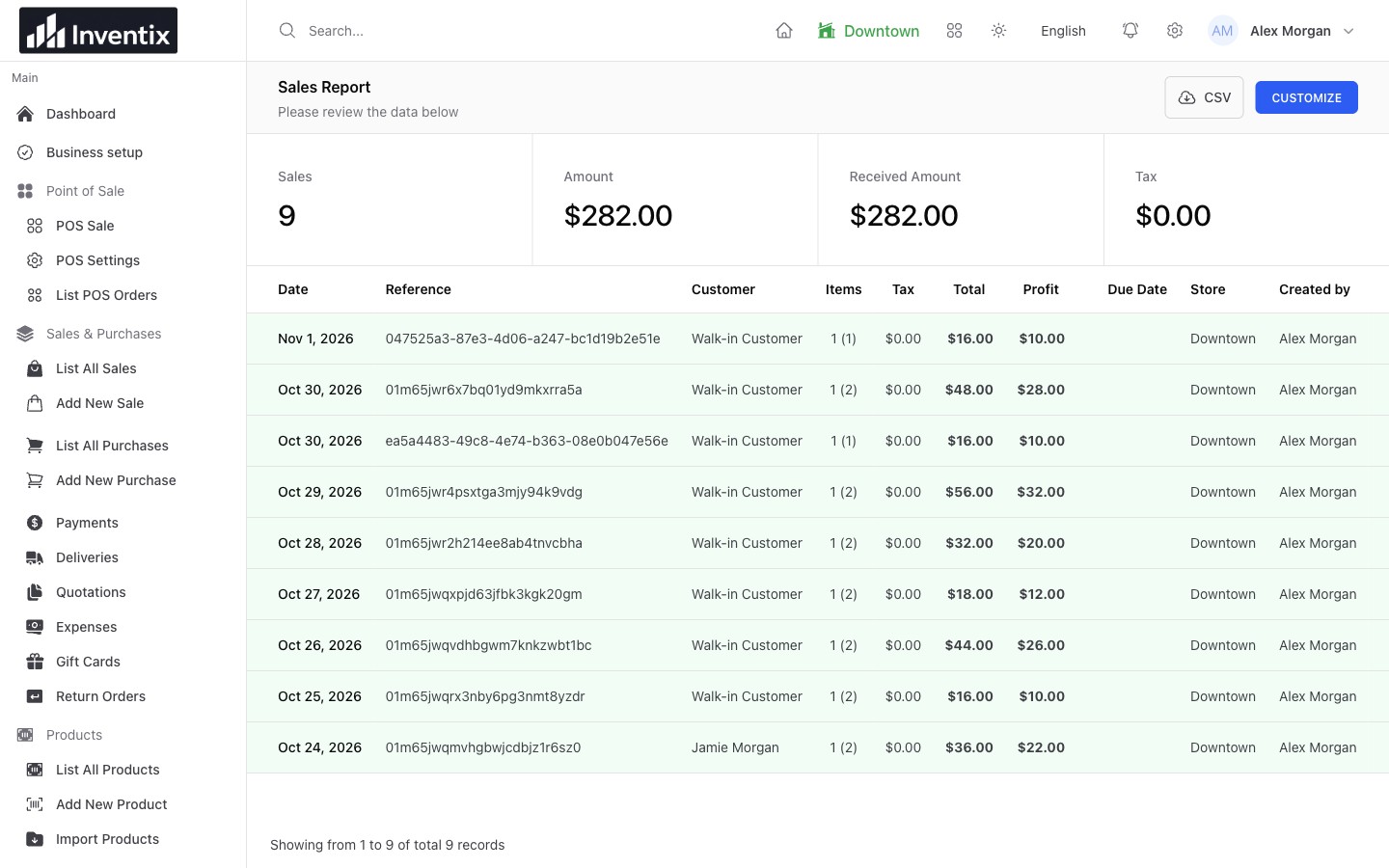
Start with the day's picture
Open the overview to see sales, purchases, payments and expenses together. Choose a period that answers your question: today's activity is different from this month's trend. Use that overview to decide where to look next, not as a replacement for the underlying records.
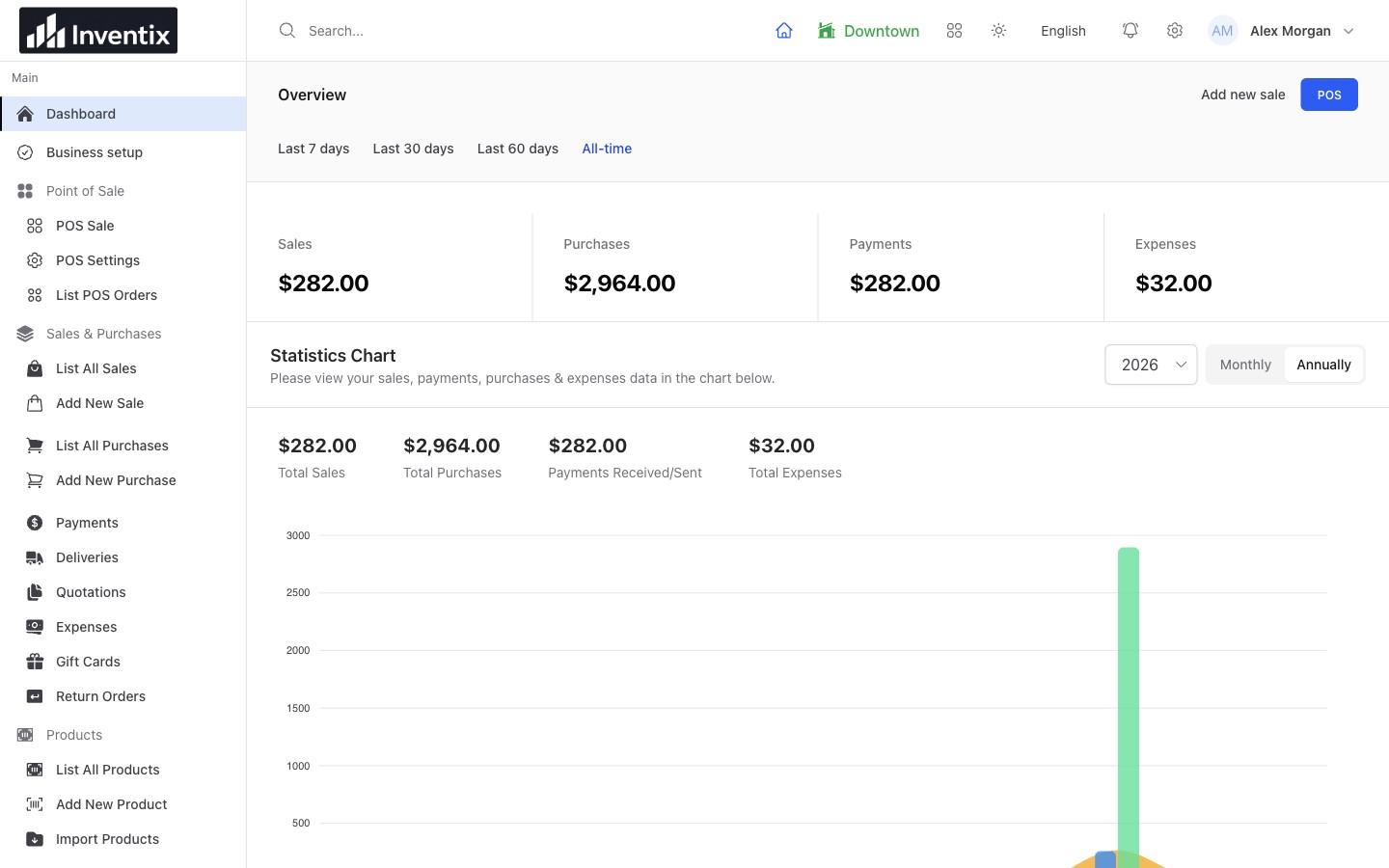
The overview gives you a starting point. Change the period before comparing it with another report.
Find what is selling
Use product reporting to see which items are moving and contributing to sales. Follow the quantities and amounts, then check the relevant products before deciding what to replenish or promote.
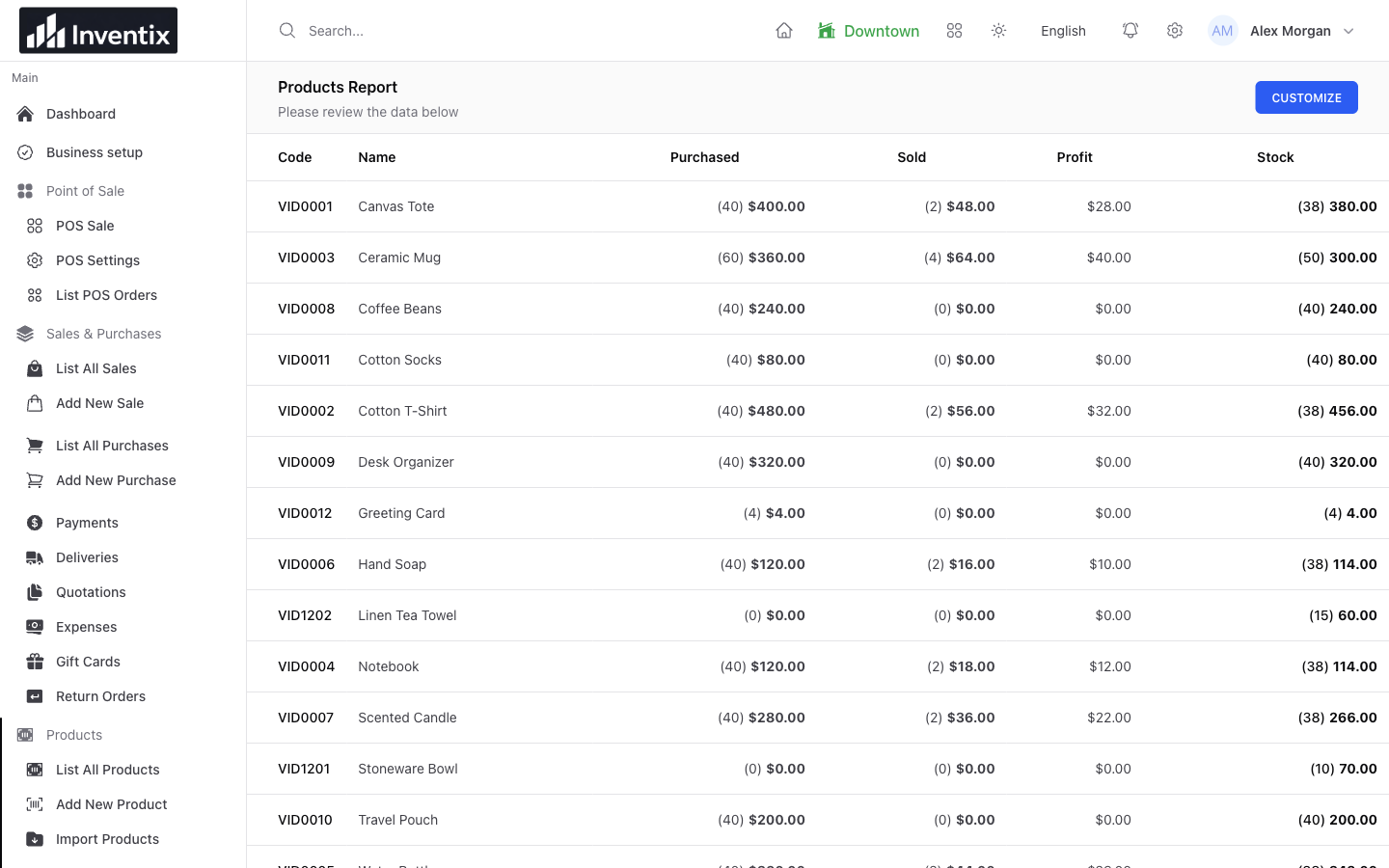
Product reporting turns a broad sales total into the items behind it. It shows the selected records and filters, not a forecast of future demand.
A best seller can still be running low in one store. Connect the report with current stock and purchasing rather than make the reorder decision from a sales number alone.
Turn a row into the next action
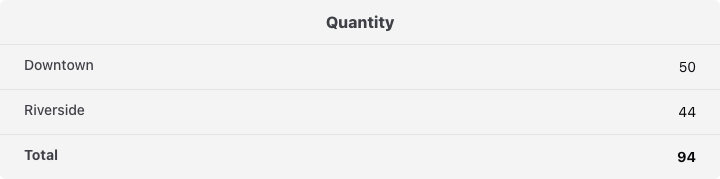
Find Ceramic Mug in the product report, check the selected store and open that item's location quantities. If another location can spare stock, transfer it; if the business needs more, review the last supplier delivery before reordering. A sale count, current stock and a supplier purchase answer different parts of the same decision.
Separate sales from money received
A $60 sale with $40 paid contributes $60 to sales and leaves $20 outstanding. A payment received today might also settle last week's sale. The two totals answer different questions.
| Your question | Start here | Then check |
|---|---|---|
| What did we sell? | Sales report | Sale dates, products, returns and references |
| What money did we record? | Payments report | Payment dates, methods and related documents |
| What has not been paid? | Customer or supplier history | Outstanding amounts, credits and payments |
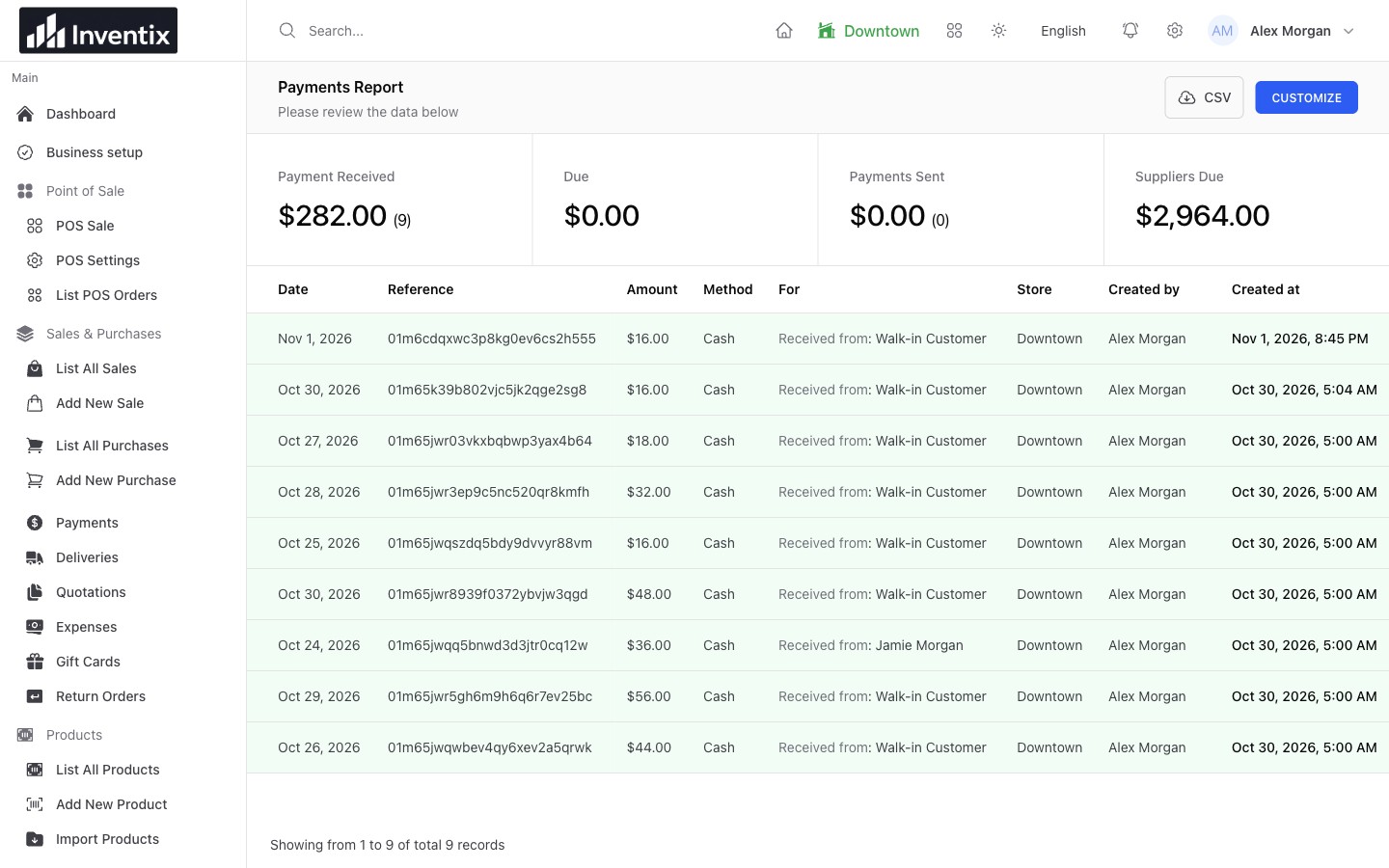
A recorded payment is attached to its business context. Confirm actual card or bank movement with your external provider.
Keep costs and spending in view
Review supplier purchases separately from rent, supplies, maintenance and other expenses. The purchase records explain received goods; the expense records explain other business spending. Supplier payments are another event again.
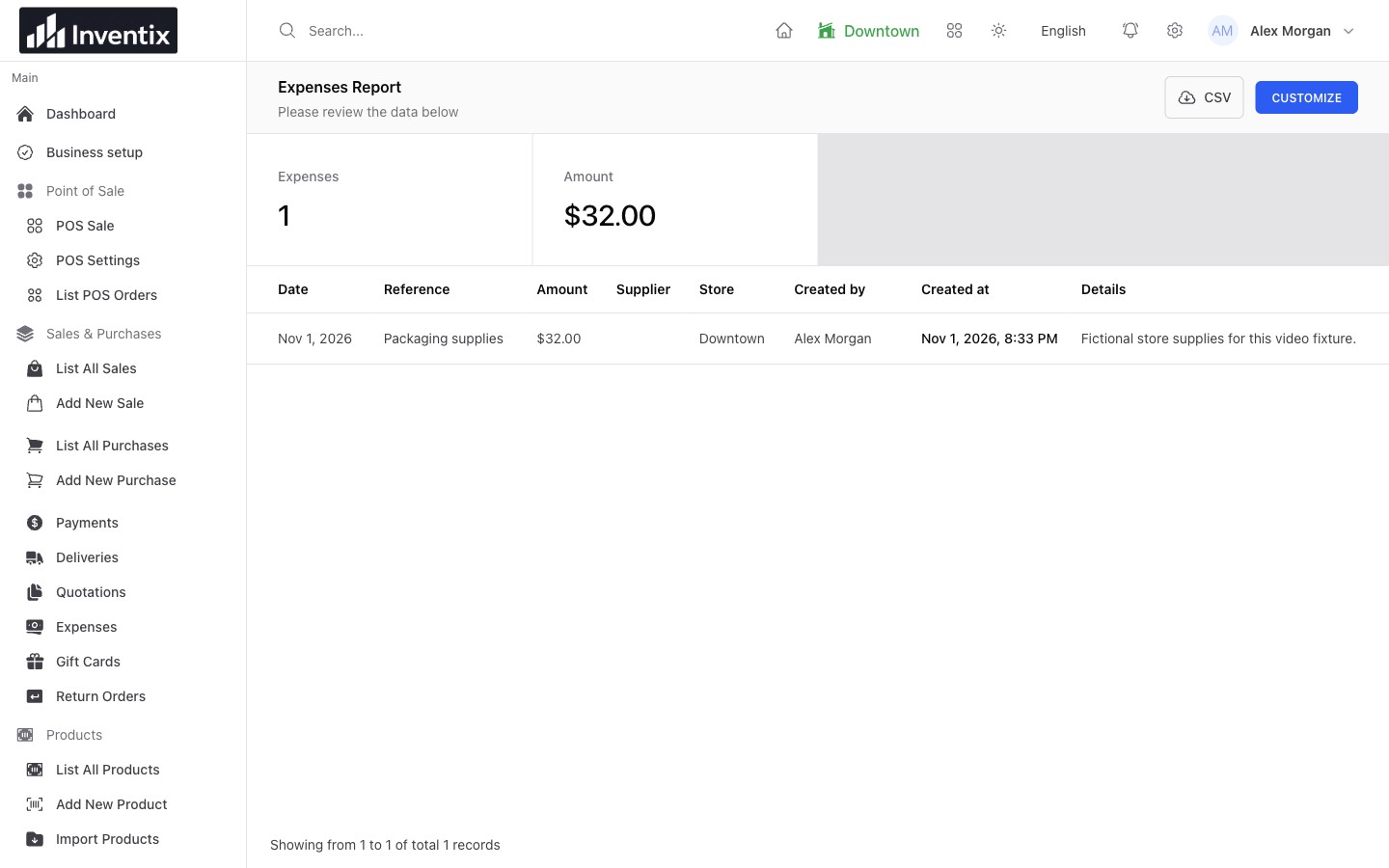
Expense detail helps you understand spending that a sales total alone cannot explain.
Profit calculations use configured standard product or variant costs captured on sales. Keep those costs accurate and review returns and discounts before drawing conclusions. Operational reports do not replace certified accounts or tax filings.
Compare the same period across stores
Choose matching dates and locations. Follow the individual records when one store's result looks unusual, and review access before sharing reports with staff. A location with more received payments may simply have collected older balances.
Use store and staff reporting for the questions they support. Neither a sales ranking nor an activity record is an employee timesheet or payroll calculation.
Take the records behind the total
Supported sales, purchase, payment, expense and return reports provide filtered CSV downloads. Keep the date range and filters with the file so a colleague can understand what it contains.
Each download supports up to 50,000 rows. Narrow larger periods rather than assume one export contains every record. Scheduled report emails and custom report builders are not included in the current release.
Your reporting questions
Why are the sales and payments totals different?
Start with their dates and document references. Partial payments, collection of old balances, credits and returns can explain the difference. Do not add balancing entries before finding the cause.
Can I review reports from my phone?
Yes, use the online workspace from your phone browser. A tablet or computer gives you more room for wide tables and downloaded files; the underlying business records remain the same.
Build a useful daily review
Check sales, received money, outstanding amounts, expenses and the products needing attention. Open anything unusual while the day's context is still fresh, then decide what to reorder, transfer or investigate.
Follow report filters and downloads, read the daily reporting checklist or download your review checklist.