
The short answer
Use the device you will actually work from and a few representative products. Complete a sale, check stock, receive a delivery and open the reports. Confirm payment, printing, connection and specialist requirements before committing to a new system.
Start with the device you already have
If you plan to run the business from your phone, do not judge the software only on a large desktop screen. Pick it up on your own phone and complete the work you expect to do between customers or away from the counter.
Inventix works in compatible phone, tablet and desktop browsers. No expensive dedicated POS terminal is required to begin using the software. Physical card collection, scanning and printing can still depend on separate equipment and providers.
Bring five products, not five hundred
Choose a small but realistic sample: a simple item, one with an option, a product sold in a pack and something you frequently reorder. Give them recognizable names, codes and prices.
This tells you whether the product fits your store before a large import makes it harder to see what went wrong. Use the import preparation guide when you are ready for the rest.
Finish a sale, then follow its effect
Find a product, check the chosen option and quantity, take payment through the method your business uses and save the sale. Open its receipt, inspect the remaining stock and find the sale in the report.
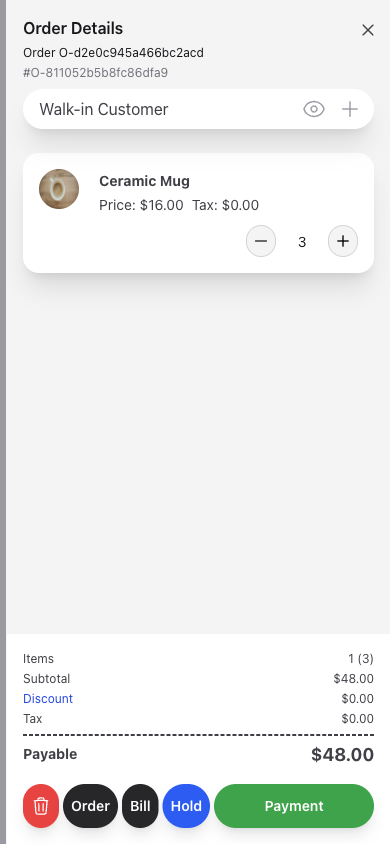
A payment method recorded in Inventix does not process a card charge. Check the separate collection step rather than assuming the checkout screen replaces your provider.
Receive stock and look at another location
Try a small supplier delivery. Confirm the receiving store, save the goods that arrived and check the quantity. If you run two shops, move a known quantity between them and confirm both results.
Read the purchasing and transfer guides. Multi-store capabilities are included in both billing schedules; compare monthly and annual pricing, not a collection of artificial feature tiers.
Test the things a screenshot cannot tell you
Check the connection where the shop will operate. Completed offline sales and later replay are not supported. Test the printer, scanner and separate card provider you intend to use, including longer receipts and real product codes.
If serial tracking, expiry allocation or fiscal-device certification is essential, ask about it directly. Do not treat a generic inventory screen as evidence of a specialist workflow.
Decide from the completed journey
By the end of the trial test, you should know where the sale, quantity, customer balance and supplier record went. That is stronger evidence than a feature checklist alone.
Start a 14-day Inventix trial, with no card required and free setup guidance. Use the getting-started guide or contact the team if your real workflow needs a closer look.