
The short answer
Check the needed product and quantity at each location. Transfer from a store that can spare it, purchase when the business needs more stock, and count when the recorded quantity does not match the shelf. Those are three different actions.
Look beyond the total across the business
You have 27 units across two shops. That sounds comfortable until the busy location has only seven and the other shop has twenty. The business owns enough stock, but the stock is not where the next customer needs it.
A combined total cannot answer what each store can sell today. Start with the product, the intended option and the quantity at each location.
Choose between moving, buying and correcting
If another store can spare the product, move existing stock. If the whole business needs more, arrange a supplier delivery. If the shelf and the record disagree, investigate or count before deciding to buy.
These actions have different meanings. A transfer does not mean you bought stock again. A count difference does not mean a supplier delivered goods. Keeping them separate lets your later reports tell a useful story.
Move a small, known quantity first
In an illustrative example, transfer three units from the store holding twenty to the store holding seven. The result should be seventeen and ten, while the business still owns twenty-seven.
In Inventix, choose the source and destination, add the intended products and quantities and keep the transfer reference with the movement.
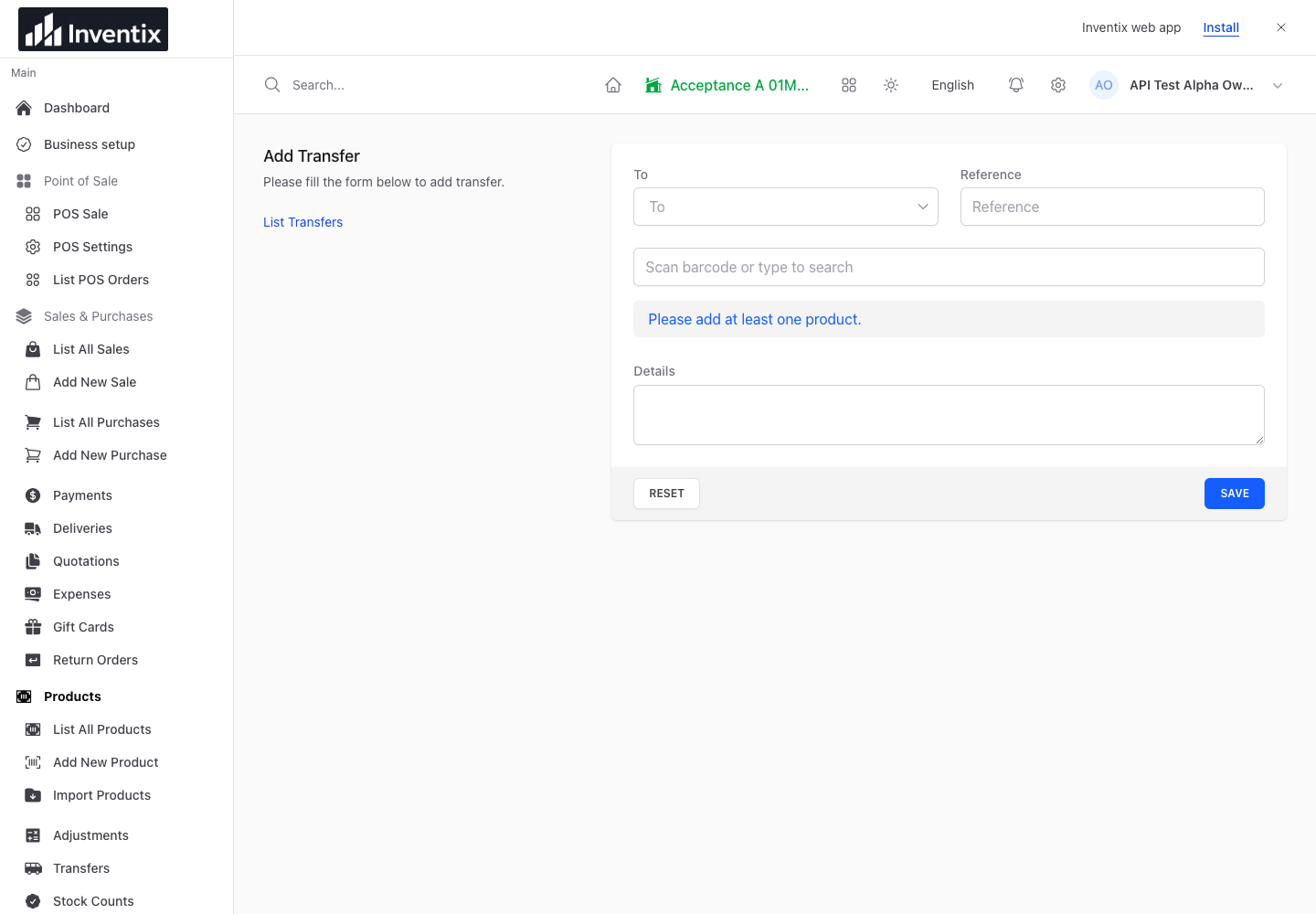
Follow the transfer guide. Check the product unit before saving; moving three cases is not the same as three individual items.
Let each store keep serving customers
Give staff the locations and actions they need. The owner can follow the business while a store team works in its own location. Individual accounts make those responsibilities clearer than a single shared login.
After the movement, inspect the quantity in both stores. If the physical delivery has not happened as expected, keep the reference and investigate the discrepancy rather than entering another unrelated movement.
Reorder when moving stock is not enough
A transfer solves a location problem, not every shortage. Check recent sales, supplier lead time and whether the source store will need the stock soon. Use the reordering worked example to plan the next purchase.
Inventix's current purchase workflow records received goods when saved. Do not enter stock that has not arrived as a reminder that you ordered it. Receive the purchase when appropriate.
Make the second store part of the same working day
Multi-store management is included in both billing schedules, not held behind a higher subscription tier. Explore multiple-store features, store setup and pricing before trying the flow with your own products.