
The short answer
Record each expense once with its store, date and reference. Compare expenses with reports using the same date range and location. Keep supplier stock purchases separate so you do not count the same spending twice.
Give small purchases a proper record
A cleaning purchase, delivery fee or emergency shop supply can feel too small to record immediately. By closing time, several small amounts can leave the person counting cash asking what happened.
Capture the expense while the reason is fresh. A date, store, amount and useful reference make it easier to explain later without searching a group chat.
Keep stock deliveries in the purchasing workflow
When a supplier delivers products for resale, record the received purchase. That is how the goods and their cost stay connected to your stock and supplier record.
Do not enter the same invoice again as a general shop expense simply because money left the bank. You need to understand the payment and the purchase, not create a second unexplained copy of the spending.
See how receiving supplier stock works.
Record the store that used the money
In Inventix, add the expense in the relevant store and include a description the next person can understand. Attach the supporting receipt when appropriate, without adding unrelated personal information.
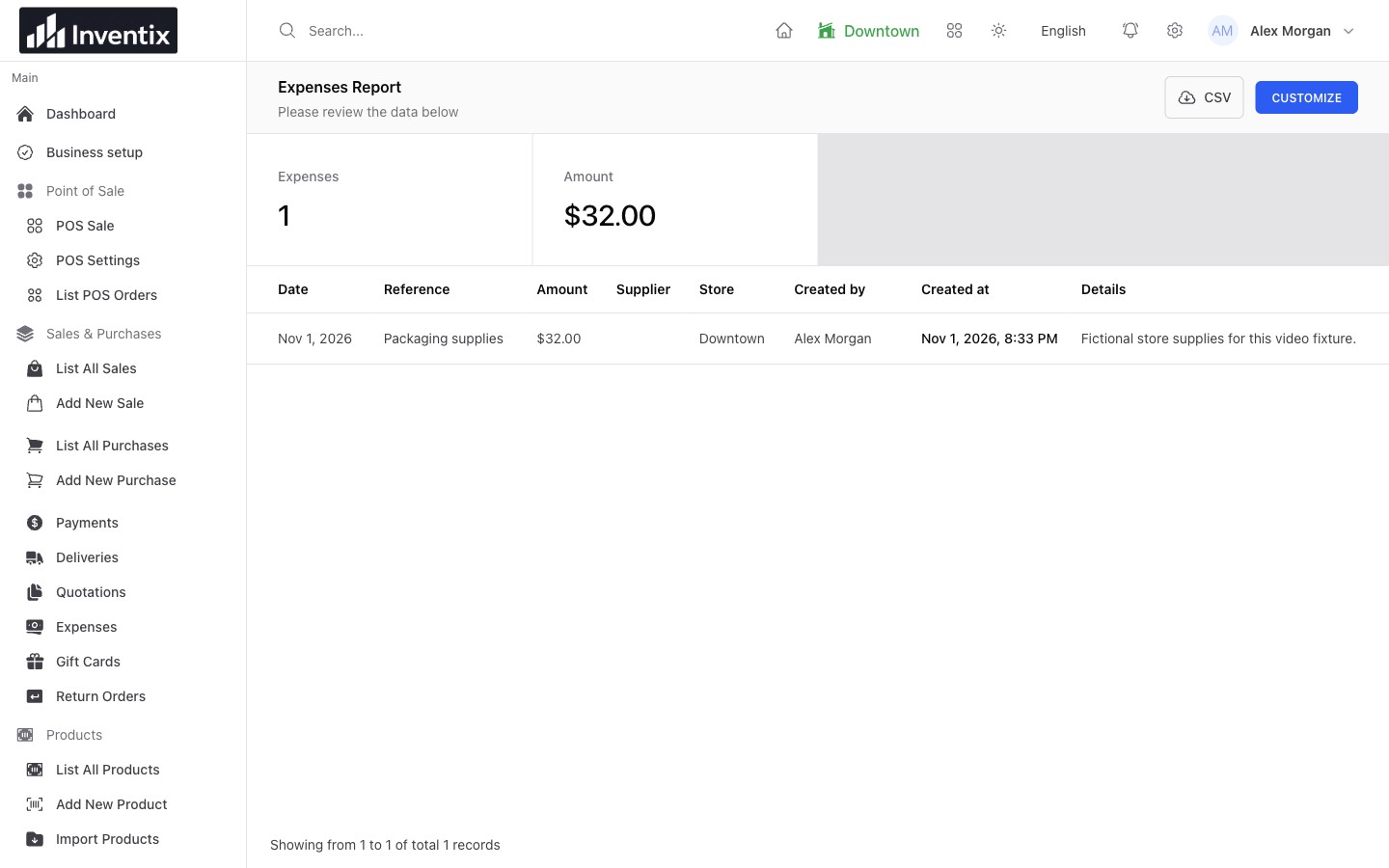
If you run more than one location, a consistent store choice matters. A shop that appears unusually profitable may simply be missing its spending records. Follow the expense steps.
Compare like with like
Choose the same dates and store when opening sales and expense reports. A whole-business monthly expense figure does not explain one shop's sales today.
For an illustrative example, $400 in sales and $15 in cleaning supplies are two useful records, but their difference is not a complete accounting profit. Product costs, tax treatment, returns and other spending still matter. Use operational reports to understand the business and your accountant for the required financial treatment.
Open the entries behind a surprising total
Check for a duplicate entry, the wrong store, an incorrect date or a supplier invoice entered through two workflows. Fix the original record through the actions your role permits and keep a reference to the correction.
At handover, the cashier should be able to connect a cash expense with its note rather than guess why the drawer is lower. Continue with cash-register closing.
Make the review repeatable
Use a short daily routine: sales, money received, outstanding amounts, expenses and the stock that needs attention next. You can print the daily store checklist and read the reports guide for the exact product steps.