
The short answer
Match the actual delivery to the correct supplier and store, record the received quantities once and keep payment separate from the purchase. Check outstanding supplier balances before the next payment or reorder.
Start at the delivery, not at the spreadsheet total
The supplier says the order is complete. Your team has boxes to unpack, a busy counter and an invoice to keep. This is the moment to connect the physical goods with the stock your store will sell next.
Check the products and quantities that actually arrived. Keep the supplier's reference, select the receiving store and note any difference before it becomes a stock question later.
Record one delivery once
In Inventix, the purchase workflow records received goods when saved. Use it for the stock that arrived, not as a reminder for an order the supplier has not delivered yet.
For a short delivery, record the actual received quantity and keep the supplier's explanation. Do not make the system show a full shelf simply because the original paperwork listed more units.
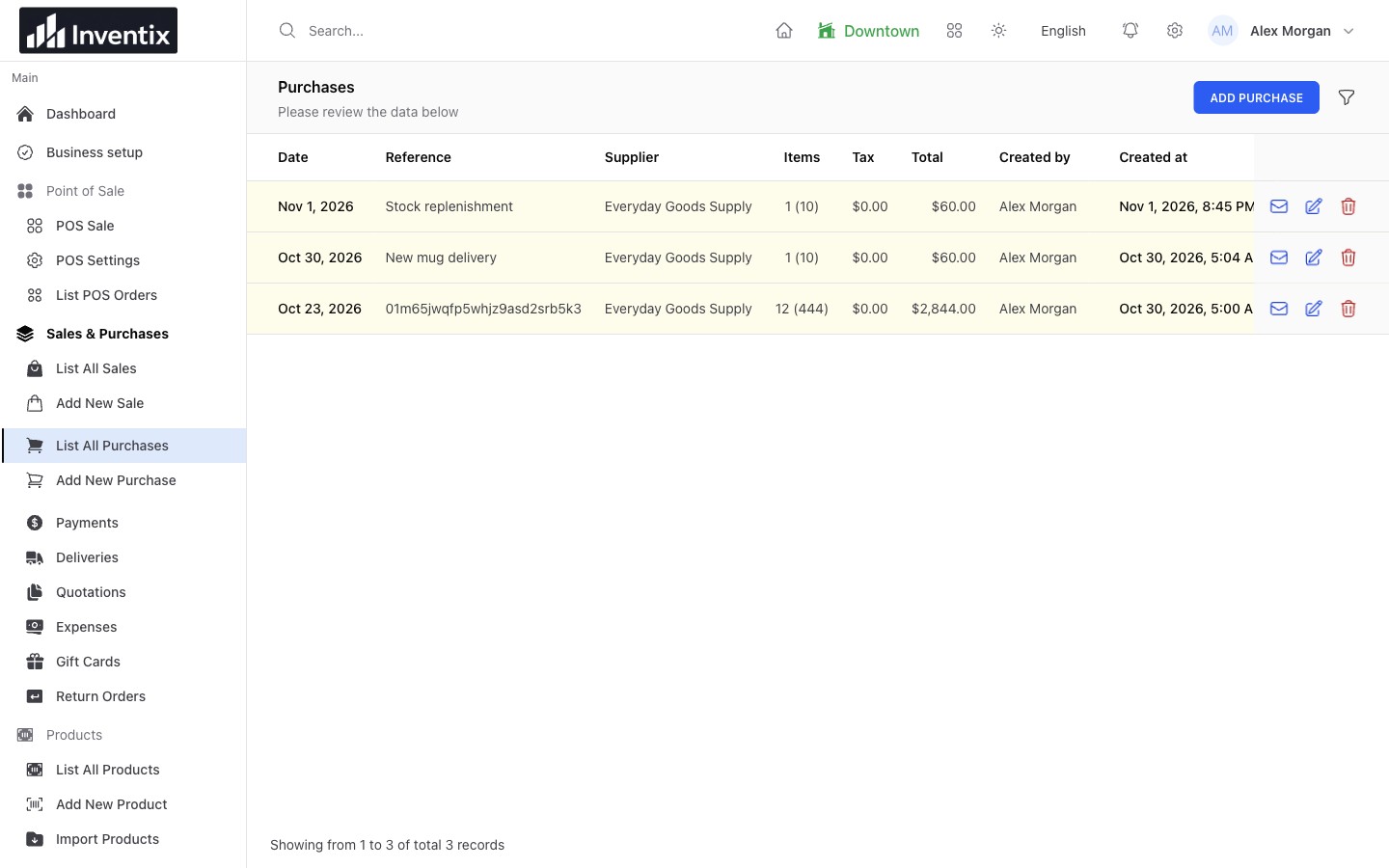
Use the purchasing guide to check the receiving steps and store choice.
Separate the goods from the payment
A supplier can deliver today and receive payment later. Saving a purchase and paying the supplier are related actions, but they are not the same action.
For an illustrative $300 received purchase with $100 paid, keep the $300 goods record, the actual $100 payment and the remaining $200 outstanding. When you pay the rest, record the payment against the existing obligation rather than creating another $200 purchase.
The example is a way to reason about the records, not a complete tax or accounting instruction. Check your business's required financial treatment separately.
Check the next order against the balance
Open the supplier's history and outstanding amounts before sending another payment or buying more goods. Match the date, supplier reference and relevant store to avoid paying a document you already settled.
Read the supplier guide and payment-recording guide.
Know when the other store has what you need
If the stock you need is already in another location, a transfer moves goods you own. A new purchase means the business is receiving goods from a supplier. Choosing the right workflow keeps both stock and supplier balances understandable.
Keep the next delivery easier
Use consistent product codes, clear units and a supplier reference your team can search. At the end of the day, open the underlying purchase from the report instead of relying on a total alone.
Explore purchasing features or ask for free setup guidance during your trial. Start with one delivery you can physically check before entering a long history of transactions.