Guides and page contents
Search all guidesCreate or find a customerReview the customer's historyRecord a payment received laterCorrect mistakes without losing contextRelated guidesManage customers and outstanding balances
Find past purchases and record later payments against the right customer.
Create or find a customer
Open People > Customers. Search before adding a record, then enter the name and relevant contact details. Collect only the information your business needs and is permitted to hold.
Select the correct customer at checkout when you want the sale and balance associated with that person. Selecting a customer can change applicable customer/group prices, so review the total again before taking payment.
Review the customer's history
- Open People > Customers and find the customer.
- Use the details and statement actions to inspect its records.
- Match dates and references with the original sale and payment history.
- Distinguish an amount due from an advance labelled Adv.
The statement helps explain a balance. It is not evidence that a bank transfer or terminal charge completed, and customer management is not an automated email-marketing service.
Record a payment received later
If a supported sale for $60 was paid by $40, the unpaid portion is $20 before other transactions or credits. When the customer later pays $20, use the existing sale/customer payment workflow. Do not create a second sale for the money.
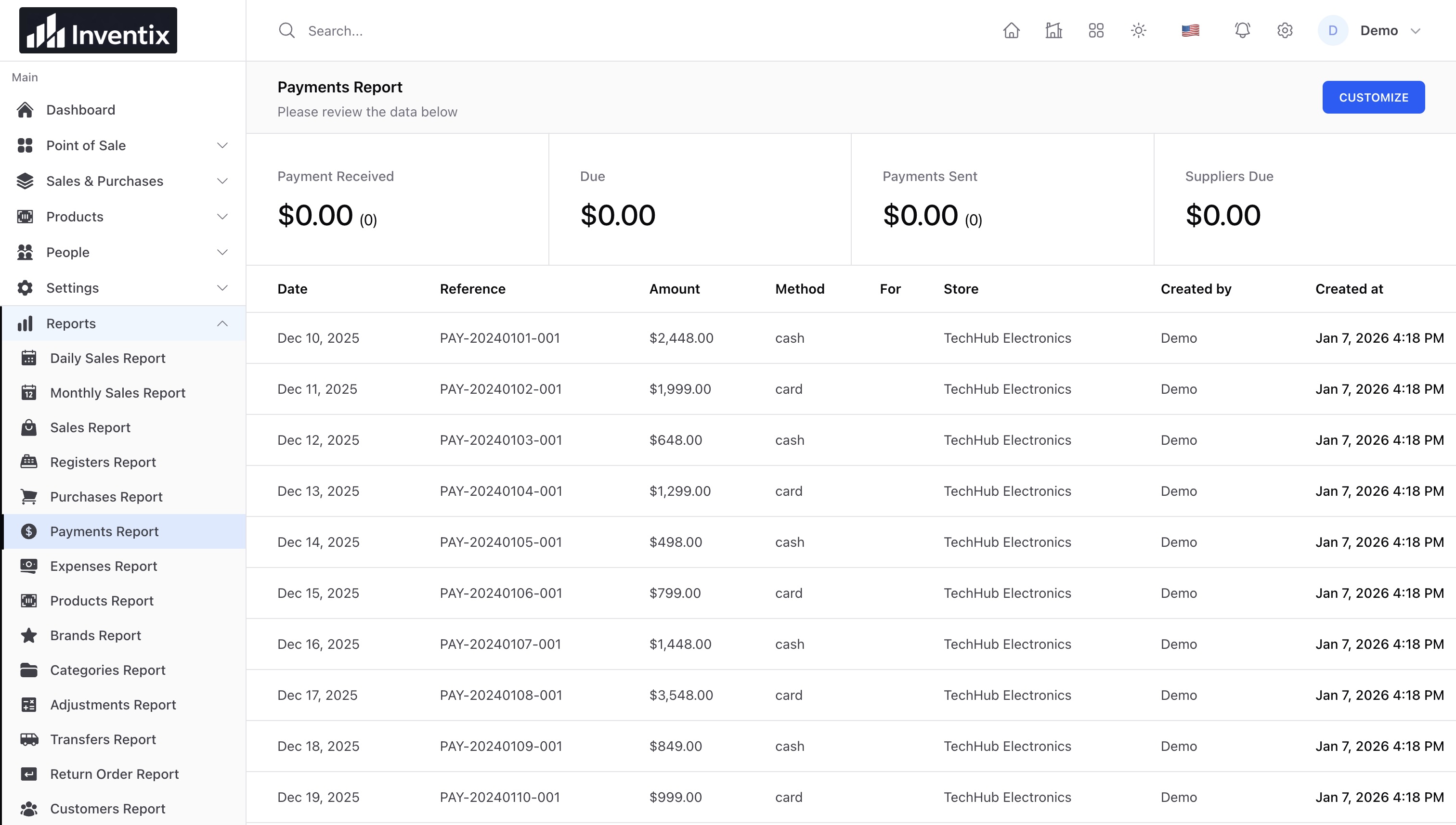
Check the saved payment, original sale and customer balance after saving. A recorded card payment does not itself charge a card. Confirm the external payment separately.
Correct mistakes without losing context
Check returns, credits, opening balances and duplicate customer records before treating a difference as unpaid money. Use the permitted sale, return or payment correction; do not repeatedly add balancing entries without understanding the cause.
Read split and partial payments, sales invoices, and returns. Customer records are business data: limit staff access and redact contact details in support screenshots.
Still stuck? Tell us what happened. Never include your password or recovery codes.