Guides and page contents
Search all guidesHold the cartRecall and finishExpected resultIf you cannot open a holdRelated guidesHold a cart and return to it
Pause a checkout without treating it as a completed sale.
Hold the cart
- Build the cart in POS and check the customer and selected store.
- Select Hold and provide the reference requested by the hold dialog.
- Confirm the held order appears before leaving the checkout.
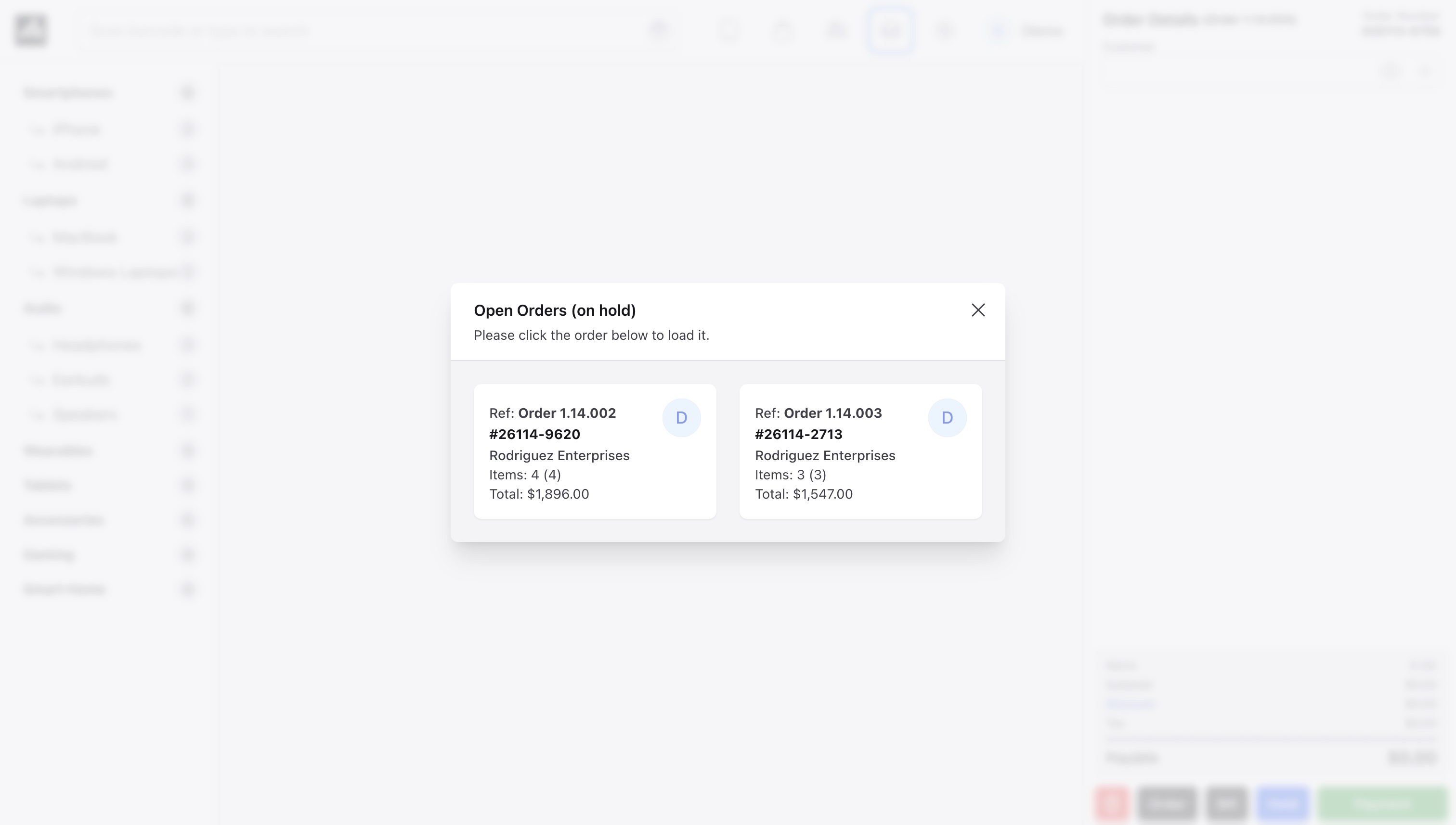
Recall and finish
- Open the held-orders control in POS and choose the intended order.
- Recheck quantities, customer prices, taxes and discounts.
- Confirm stock is still available and that the correct register is open.
- Complete payment only when the customer is ready.
Expected result
A hold stores the cart for later use. It does not establish that payment was collected. Completed orders are protected against being recalled as new unpaid orders.
If you cannot open a hold
Held orders are subject to ownership and access checks. Ask the owner to review access rather than copying another user's cart reference. If a sale may already have completed, find its sale/payment record before attempting checkout again.
See checkout or connection recovery.
Still stuck? Tell us what happened. Never include your password or recovery codes.