Choose your workspace language
Use available English, Spanish or French interface controls while keeping the same store records.

Choose an available language
Sign in to your store workspace and use its language control. The current options include English, Spanish and French. Choose an available option, then open a familiar screen such as the product list or checkout to check the labels your team uses.
Your choice is saved to your staff account. Sign in again on another browser or device to use the same preference. Each colleague chooses their own language; your choice does not change everyone else's screen.
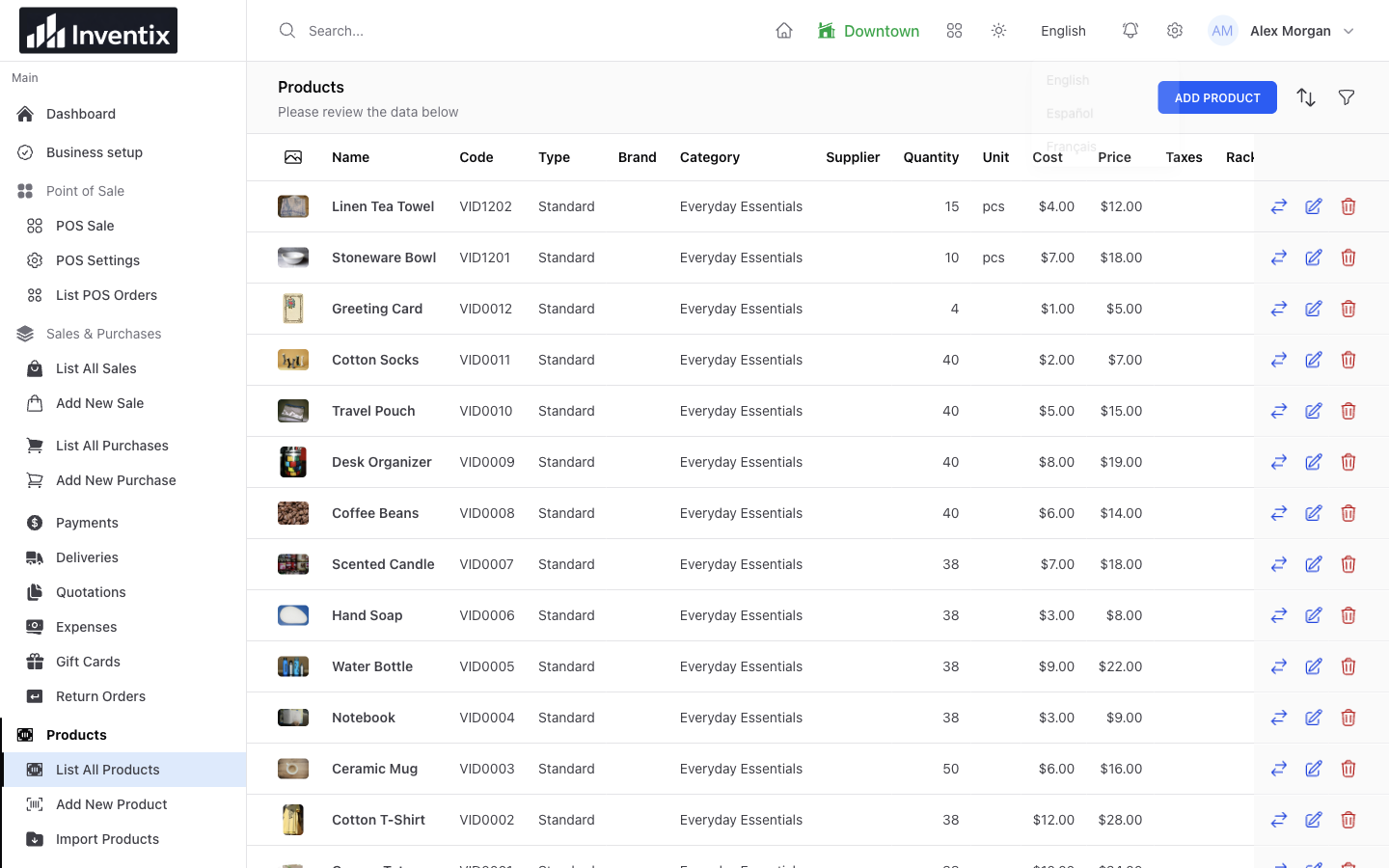
What changes and what stays the same
Supported interface labels change. Your products, purchases, customer records, staff permissions and store quantities remain the same records. Names or notes entered by your business are not automatically translated.
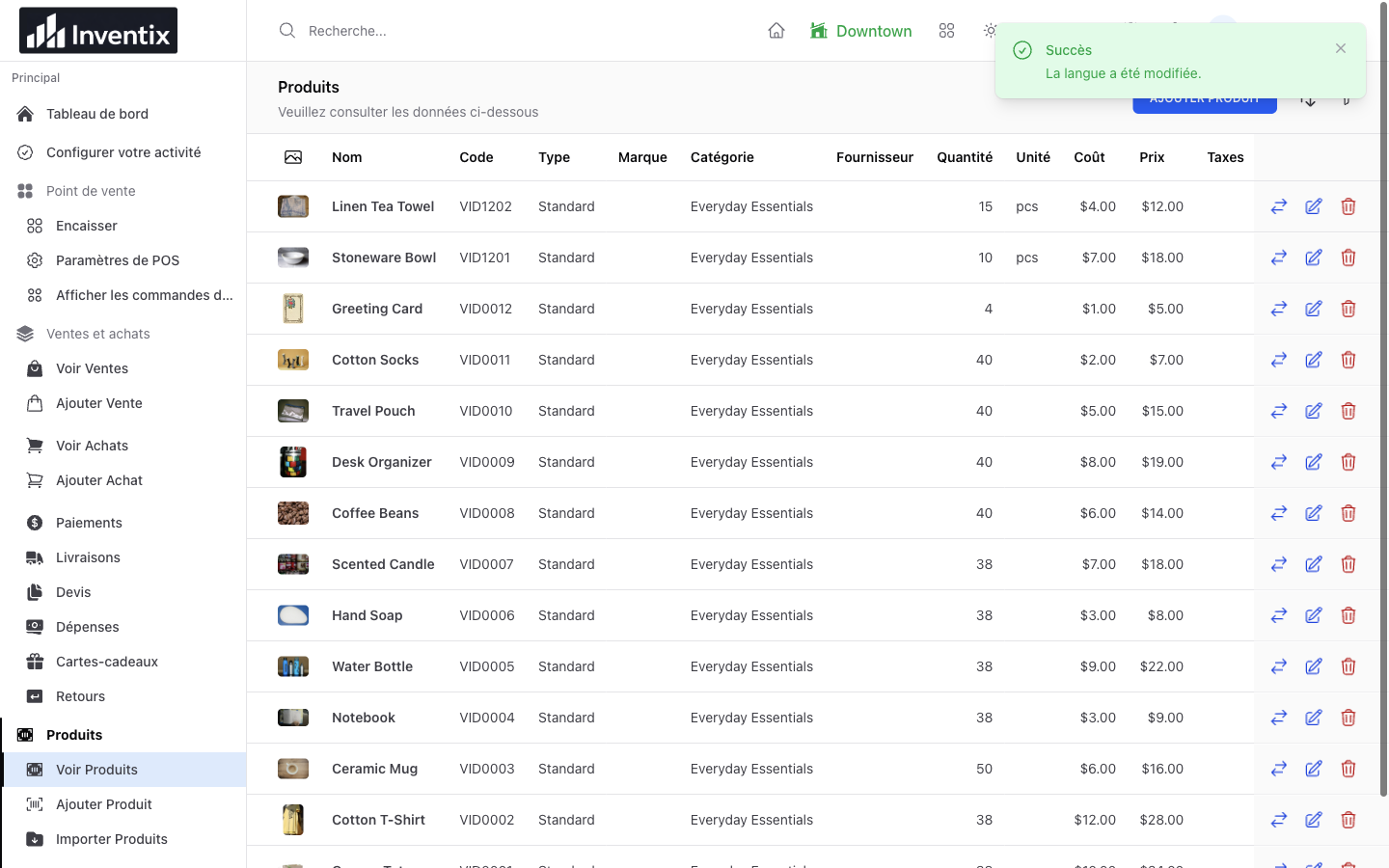
For example, a product named "Blue cotton shirt" keeps that name even when supported buttons are shown in French. Translate your own business descriptions separately when that is appropriate for your customers.
Changing the language also does not change currency, convert prices or apply a country's tax rules. Check those separately in business settings.
Help each person get comfortable
- Let the staff member sign in with their own account.
- Choose the available language they prefer.
- Find one known product, inspect its price and open a familiar workflow.
- Confirm their role still allows the correct tasks and stores.
- Ask support about any unclear or untranslated label before relying on it in a busy shift.
Some inherited screens, messages and printed documents may still use English. Availability of an option is not a guarantee that every sentence has a complete native-language translation.
Website language is separate
The public Inventix website is currently English. A store's interface choice does not translate the marketing website, articles or help center. More language coverage and separate native mobile apps are planned; the browser workspace is available now.
See staff permissions or contact support if a team member needs help finding an action.
Still stuck? Tell us what happened. Never include your password or recovery codes.